TL;DR
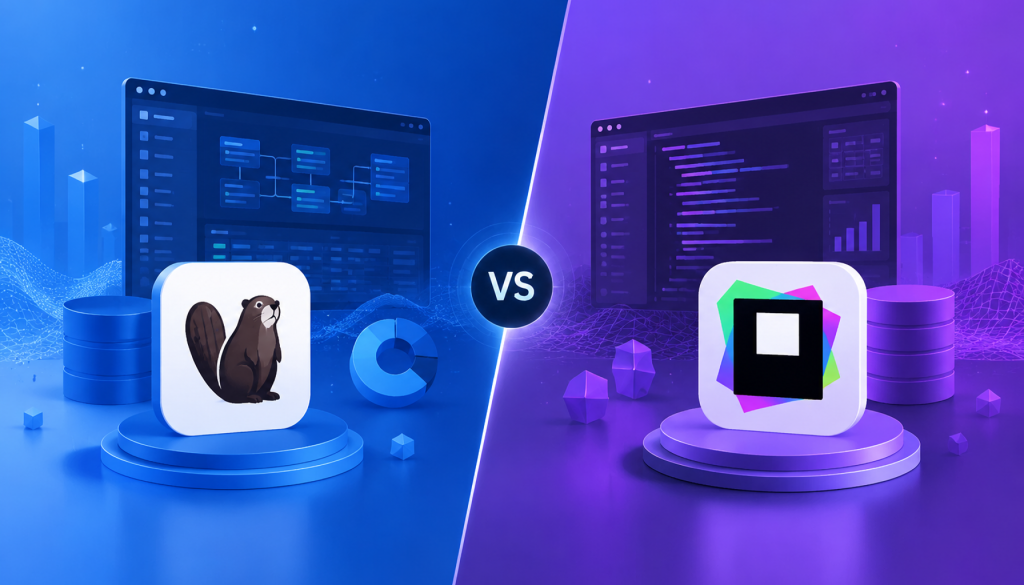
DBeaver Community is free and does everything most developers need. DataGrip costs $99-229/year but has noticeably better SQL autocomplete. If you write complex queries all day and already use JetBrains tools, DataGrip is worth it. Otherwise, start with DBeaver—you can always upgrade later if the free version feels limiting.
What is DBeaver?
DBeaver is an open-source database client that started in 2013. The Community Edition is genuinely free—no feature walls, no time limits, no “freemium” tricks. It’s built on Eclipse, supports 80+ databases via JDBC, and handles everything from PostgreSQL to SQLite to Snowflake.
The paid versions (Lite, Enterprise, Ultimate, Team) add visual query builders, NoSQL support, Git integration, cloud explorer features, and team collaboration tools. But here’s the thing: most individual developers never need those. Community Edition gives you SQL editor, data export, ER diagrams, query history, and inline editing. That covers 90% of daily database work.
Key features:
- 80+ database support (SQL only in Community, NoSQL requires paid edition)
- Visual ER diagram generator
- Data transfer wizard (database-to-database migration)
- Mock data generation (Enterprise+)
- Query history and session management
- Native SSH/SSL tunneling
Pricing:
- Community: Free (Apache 2.0 license)
- Lite: $113/year (simplified analyst view, visual query builder, no dev tools)
- Enterprise: $255/year (full dev tools, Git, DBA dashboards)
- Ultimate: $510/year (adds cloud explorer for AWS/GCP/Azure)
- Team: $1,630/year (collaboration features, shared resources)
DBeaver’s strength is breadth. You can connect to PostgreSQL in one tab, SQLite in another, and Redshift in a third without switching tools. The UI has a learning curve—lots of panels, lots of menus—but once you know where things are, it’s fast.
One pain point: DBeaver’s initial setup can be overwhelming. When you first launch it, you’re greeted with a workspace selection dialog (Eclipse legacy), then a connection wizard with dozens of database options. The interface shows database navigator, SQL editor, properties panel, and project explorer all at once. For newcomers, that’s a lot. DataGrip hides complexity better—clean start screen, minimal UI until you create your first data source.
What is DataGrip?
DataGrip is JetBrains’ database IDE, released in 2016. It’s built on IntelliJ Platform, which means it shares DNA with PyCharm, WebStorm, and every other JetBrains tool. If you already use those, DataGrip feels like home—same keyboard shortcuts, same interface, same settings sync.
DataGrip supports all major relational databases: PostgreSQL, MySQL, Oracle, SQL Server, SQLite, MariaDB, Snowflake, Redshift, BigQuery, and more. It also handles some NoSQL databases like MongoDB, Cassandra, and Redis, though coverage isn’t as deep as DBeaver’s paid editions.
What sets DataGrip apart is SQL intelligence. It indexes your entire schema on first connection and builds a semantic model of your database. The autocomplete engine understands table aliases across JOINs, suggests columns from subqueries, resolves CTEs, and catches syntax errors before you hit Run. If you write complex analytical queries, this matters.
Key features:
- 30+ database support (relational focus, limited NoSQL)
- Context-aware SQL autocomplete and refactoring
- Native Git integration
- Query execution plans and visual explain
- Schema diff and migration tools
- JetBrains ecosystem integration
Pricing:
- Individual: $99/year (first year), $79/year (second year), $59/year (third year onward)
- Organization: $229/year (first year), $183/year (second year), $137/year (third year onward)
- 30-day free trial, no credit card required
- After 12 consecutive months, you get a perpetual fallback license for that version
JetBrains uses a continuity discount model—you pay less the longer you stay subscribed. After a year, you also get a fallback license, which means even if you stop paying, you can still use the version from when you hit 12 months. That’s more generous than most subscription models.
One real advantage for DataGrip users: if you already have JetBrains All Products Pack ($289/year first year for individuals), DataGrip is included. You also get IntelliJ IDEA Ultimate, PyCharm Professional, WebStorm, and 10+ other IDEs. For developers who code in multiple languages and need database access, the bundle is significantly cheaper than buying DataGrip standalone plus other tools.
DataGrip’s memory footprint is heavier than DBeaver. On a MacBook with 16GB RAM, DataGrip typically uses 2-3GB after indexing a medium-sized PostgreSQL database (500+ tables). DBeaver hovers around 1-1.5GB for the same workload. If you’re on an older machine or running many applications simultaneously, DBeaver is lighter.
SQL Editing Experience: Where the Real Difference Shows
Both tools let you write SQL, but the experience differs significantly.
DataGrip’s Autocomplete Intelligence
DataGrip builds a full schema model when you connect. Type SELECT cu. and it suggests columns from the customers table if cu is your alias. Write a subquery, and autocomplete understands the derived columns. Use a CTE (Common Table Expression), and DataGrip treats it like a temporary table for autocomplete purposes.
Example: You’re writing a query with multiple JOINs.
SELECT
  u.username,
  o.order_date,
  p.
FROM users u
JOIN orders o ON u.id = o.user_id
JOIN products p ON o.product_id = p.id
When you type p. after the third line, DataGrip instantly shows all columns from the products table. It knows p is your alias because it parsed the JOIN. DBeaver’s autocomplete works, but it’s slower to resolve aliases and sometimes suggests columns from all tables in your schema, not just the one you aliased.
DataGrip also catches errors before execution. Mistype a column name, reference a table that doesn’t exist, or forget to close a string literal—DataGrip underlines it in red immediately. DBeaver shows syntax errors, but it doesn’t validate against your actual schema until you run the query.
DBeaver’s Autocomplete: Functional but Basic
DBeaver Community offers keyword completion, table name suggestions, and column name lists. It works for straightforward queries. When you’re selecting from a single table or doing simple JOINs, there’s no practical difference.
The gap appears with complex queries—nested subqueries, window functions, or CTEs. DBeaver’s autocomplete doesn’t deeply understand query context. If you alias a subquery and try to reference its columns, autocomplete might not suggest them. You end up typing column names manually or switching to the database navigator to check.
DBeaver Pro improves autocomplete with enhanced SQL analysis, but it still doesn’t match DataGrip’s depth. I’ve used both daily for backend work, and DataGrip saves measurable time when writing analytical queries with 10+ tables.
Real-World Impact
For junior developers learning SQL or working with simple schemas, this difference doesn’t matter much. For data engineers writing multi-table aggregations, CTEs, and window functions, DataGrip’s autocomplete reduces cognitive load. You spend less time remembering exact column names and more time thinking about query logic.
Feature Comparison Table
| Feature | DBeaver Community | DBeaver Enterprise | DataGrip |
|---|---|---|---|
| Database Support (Relational) | 80+ via JDBC | 80+ via JDBC | 30+ native |
| NoSQL Support | ❌ | ✅ (MongoDB, Cassandra, Redis) | ⚠️ Limited (MongoDB, Cassandra, Redis) |
| SQL Autocomplete | Basic keywords & columns | Enhanced analysis | Context-aware (best-in-class) |
| Visual Query Builder | ❌ | ✅ | ❌ |
| ER Diagram Generation | ✅ (view-only) | ✅ (editable, export) | ✅ (view-only) |
| Data Export Formats | CSV, JSON, SQL, XML, HTML, Markdown | Same + Tableau integration | CSV, JSON, SQL, TSV, HTML |
| Git Integration | Plugin (EGit) | Native | Native (JetBrains VCS) |
| Refactoring Support | ❌ | Limited | ✅ (rename propagation, safe delete) |
| Mock Data Generation | ❌ | ✅ | ❌ |
| Query Debugger | ❌ | ✅ (PostgreSQL only) | ❌ |
| Cloud Support (AWS/GCP/Azure) | Basic connections | Ultimate edition | Native support |
| Collaboration Features | ❌ | Team edition only | ❌ |
| Memory Usage | 1-2 GB typical | 1-2 GB typical | 2-4 GB typical |
| Price | Free | $255/year | $99-229/year |
Pricing Deep Dive
DBeaver: Freemium with Clear Tiers
DBeaver Community is legitimately free. You’re not locked out of essential features. SQL editing, data browsing, export, import, ER diagrams—it’s all there. The paid tiers add business features, not basic functionality.
When you might upgrade to paid DBeaver:
- You need NoSQL databases (MongoDB, Cassandra, Couchbase)
- You want the visual query builder (drag-and-drop query construction)
- Your team needs shared connections and role management (Team edition)
- You’re working heavily with AWS/GCP/Azure and want the cloud explorer (Ultimate)
- You need mock data generation for testing (Enterprise+)
DBeaver Lite ($113/year) is positioned for business analysts who query data but don’t write stored procedures or manage schemas. It strips out development tools and gives you simplified views. Most developers should skip it—either stick with Community or jump to Enterprise.
DBeaver Enterprise ($255/year) is the individual developer sweet spot if you need paid features. You get everything: Git integration, DBA tools, schema compare, task scheduler, mock data, and enhanced SQL analysis. No monthly subscription—pay once, use for a year.
DataGrip: Subscription with Continuity Discount
DataGrip has one product, one price tier. Individual license starts at $99/year, organization license at $229/year. The twist: JetBrains lowers your price each year you renew.
Year 1: $99 (individual) or $229 (organization)
Year 2: $79 or $183 (20% discount)
Year 3+: $59 or $137 (40% discount)
After 12 consecutive months, you get a perpetual fallback license. Stop paying, and you keep the version from month 12. That’s a safety net most SaaS tools don’t offer.
For students and open-source projects, JetBrains offers free educational licenses. If you qualify, DataGrip costs nothing.
Bottom line: DataGrip’s pricing is fair if you value the features. The fallback license and continuity discount soften the subscription model. But $99/year is still $99/year—DBeaver Community costs $0/year.
The hidden cost consideration: If you’re a freelancer or contractor billing hourly, time saved matters. If DataGrip’s autocomplete saves you 15 minutes per day (realistic for complex SQL work), that’s 5+ hours per month. At $100/hour billing rate, that’s $500/month in productivity—easily justifying the $8/month DataGrip cost. For salaried developers, the math is fuzzier, but the principle holds: tool cost matters less than productivity impact.
Use Cases
When to Choose DBeaver
You’re budget-conscious. DBeaver Community is free and handles most SQL work without compromise. If $100-250/year matters, this is an easy call.
You work with many different databases. DBeaver supports 80+ databases out of the box. If you’re connecting to PostgreSQL, MySQL, SQLite, Oracle, SQL Server, and Snowflake in the same week, DBeaver handles that breadth better than DataGrip.
You need NoSQL support. DBeaver Enterprise and Ultimate support MongoDB, Cassandra, Redis, Couchbase, and other NoSQL systems. DataGrip’s NoSQL coverage is limited and feels bolted on.
You rely on ER diagrams. DBeaver’s ER diagram tool is mature and customizable. You can visualize large schemas, rearrange layouts, and export to PNG/SVG. It’s one of DBeaver’s standout features. DataGrip has ER diagrams, but they’re more basic.
You need database-to-database migration. DBeaver’s data transfer wizard handles schema and data migration between databases. If you’re moving from MySQL to PostgreSQL or syncing staging to production, this tool is invaluable.
You prefer open-source software. DBeaver Community is Apache 2.0 licensed. You can inspect the code, fork it, modify it. That matters to some teams.
When to Choose DataGrip
You write complex SQL every day. DataGrip’s autocomplete is noticeably better. If you’re writing queries with 5+ table JOINs, subqueries, window functions, and CTEs, DataGrip’s context-aware suggestions save time and reduce errors. The autocomplete resolves aliases, understands query structure, and catches mistakes before execution.
You already use JetBrains tools. If you code in IntelliJ, PyCharm, or WebStorm, DataGrip integrates seamlessly. Same shortcuts, same settings sync, same plugin ecosystem. The learning curve is zero.
You value refactoring support. DataGrip lets you rename a column and propagates that change across all queries in your project. It tracks references and updates them automatically. DBeaver doesn’t do this.
You need Git integration. DataGrip has native VCS support—diff, commit, push, pull, branch, merge, all from the IDE. DBeaver requires the EGit plugin, which works but isn’t as polished.
You want one tool per year, not tool sprawl. DataGrip is a single license, single price. You don’t need to compare Community vs Lite vs Enterprise vs Ultimate. One subscription, all features. Some people prefer that simplicity.
Performance matters to you. DataGrip’s query execution is fast. Results load quickly, even for large datasets. The grid view handles millions of rows without choking (though you probably shouldn’t load millions of rows into memory). DBeaver’s grid can feel sluggish with very large result sets, though it handles normal workloads fine.
Pain Points You Should Know About
DBeaver’s Rough Edges
The Eclipse baggage. DBeaver inherited Eclipse’s workspace model. Every time you launch DBeaver, it asks which workspace to use. For most developers working on one machine, this is pointless friction. You can set a default workspace, but the prompt still appears on first launch. DataGrip skips this entirely—projects are just folders, no workspace ceremony.
Connection timeouts. DBeaver disconnects idle connections after 10-15 minutes by default. When you return to write a query, you’ll see “Connection closed” and need to reconnect. You can adjust timeout settings, but the default behavior interrupts flow. DataGrip keeps connections alive longer and reconnects automatically in the background.
UI complexity. DBeaver’s interface is powerful but cluttered. The ER diagram editor, data transfer wizard, and mock data generator are buried in right-click menus. New users spend time hunting for features. Once you learn the shortcuts, it’s fine, but the learning curve is real.
Limited refactoring. Rename a table in DBeaver, and your saved queries still reference the old name. You manually find and replace. DataGrip propagates renames across your project files automatically.
DataGrip’s Annoyances
Initial indexing delay. Connect to a large database (1,000+ tables), and DataGrip spends 30-60 seconds indexing. During that window, autocomplete is incomplete and the UI feels sluggish. DBeaver connects instantly because it doesn’t build the same depth of model upfront.
Memory consumption. DataGrip’s heavy indexing uses RAM. On a 16GB laptop with Docker containers, Chrome, and Slack running, DataGrip can push your system into swap. DBeaver is lighter but sacrifices some intelligence for that efficiency.
No visual query builder. Some people prefer drag-and-drop query construction, especially when exploring unfamiliar schemas. DataGrip forces you to write SQL manually. DBeaver Enterprise and Lite have visual query builders—you pick tables, drag relationships, and it generates SQL. For analysts coming from tools like Microsoft Access, that’s more approachable.
Price for individuals. $99/year isn’t expensive for a professional tool, but it’s not nothing. Students and hobbyists often balk at subscriptions. DBeaver Community gives them full SQL capability for free.
Verdict
Here’s my take after using both tools for years: DBeaver Community is the right starting point for most developers. It’s free, it works, and it doesn’t nag you to upgrade. Use it until you hit a specific limitation—need NoSQL, want better autocomplete, or require team features. Then decide if you need DataGrip’s SQL intelligence or DBeaver’s paid tiers.
Choose DataGrip if:
- You’re a data analyst or backend engineer writing complex SQL daily
- You already pay for JetBrains All Products Pack (DataGrip is included)
- Autocomplete quality genuinely affects your productivity
- You work primarily with 2-3 relational databases, not dozens
Choose DBeaver Community if:
- You’re learning SQL or databases
- You work with many different databases (polyglot environments)
- Budget is a factor
- You value open-source tools
Choose DBeaver Enterprise if:
- You need NoSQL support
- You want the visual query builder
- You need mock data generation or schema comparison tools
- Free Community isn’t enough, but you don’t need JetBrains’ autocomplete
For students: Get DataGrip for free via JetBrains educational licenses. No reason to pay while you’re learning.
For enterprise teams: Look at DBeaver Team Edition ($1,630/year) or DataGrip organization licenses. Both offer volume discounts. DBeaver Team adds collaboration features; DataGrip stays individual-focused even in org licenses.
Look, both tools are good. You won’t make a career-limiting mistake picking either one. DataGrip has better SQL intelligence; DBeaver has broader database support. Start with the free option (DBeaver Community), and upgrade only when you have a clear reason. That’s the smart play.
The Ecosystem Factor: What Else Matters
Community and Support
DBeaver has an active GitHub repository with 40,000+ stars. The community edition is open source, so bugs get reported and fixed publicly. The DBeaver team is responsive on GitHub issues. Paid support is available for Enterprise customers.
DataGrip benefits from JetBrains’ infrastructure. Their issue tracker is comprehensive, documentation is thorough, and support response times are fast for paid users. JetBrains also has a large user base across all their tools, so community knowledge is easy to find.
Plugin Ecosystems
DBeaver’s plugin ecosystem is modest. You’ll find JDBC driver extensions, export format plugins, and some UI themes. It’s not a thriving marketplace, but the essentials are covered.
DataGrip taps into the JetBrains plugin ecosystem. Thousands of plugins exist for the IntelliJ Platform. Database-specific plugins (PostgreSQL enhancements, Oracle tooling), key-promoter for learning shortcuts, and productivity plugins all work in DataGrip. That’s a significant advantage if you want to customize your environment.
Learning Resources
Both tools have official documentation, but community tutorials favor DataGrip. YouTube has more JetBrains walkthroughs because their tools are popular with developers who create content. DBeaver tutorials exist but are less polished. If you learn by watching videos, DataGrip has better coverage.
Who Actually Uses These Tools?
I asked developers on Twitter and Reddit which tool they use daily. Here’s what I found:
DBeaver users skew toward:
- DevOps engineers managing multiple database types
- Backend developers at startups (budget-conscious)
- Freelancers who need broad database compatibility
- Open-source advocates
DataGrip users skew toward:
- Data engineers and analysts writing complex SQL
- Developers already in the JetBrains ecosystem
- Enterprise teams with tool budgets
- Backend engineers at mid-size to large companies
Both tools have loyal users. Nobody I talked to regretted their choice. The deciding factors were always the same: budget, SQL complexity, and existing tooling.
Related Reading
- DBeaver vs DataGrip in 2026: Which Database Client Actually Fits Your Workflow
- DBeaver vs DataGrip in 2026: Which Database Client Actually Fits Your Workflow?
Stay updated with our latest AI insights