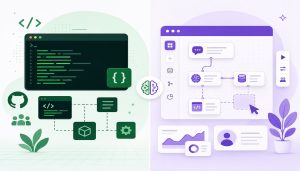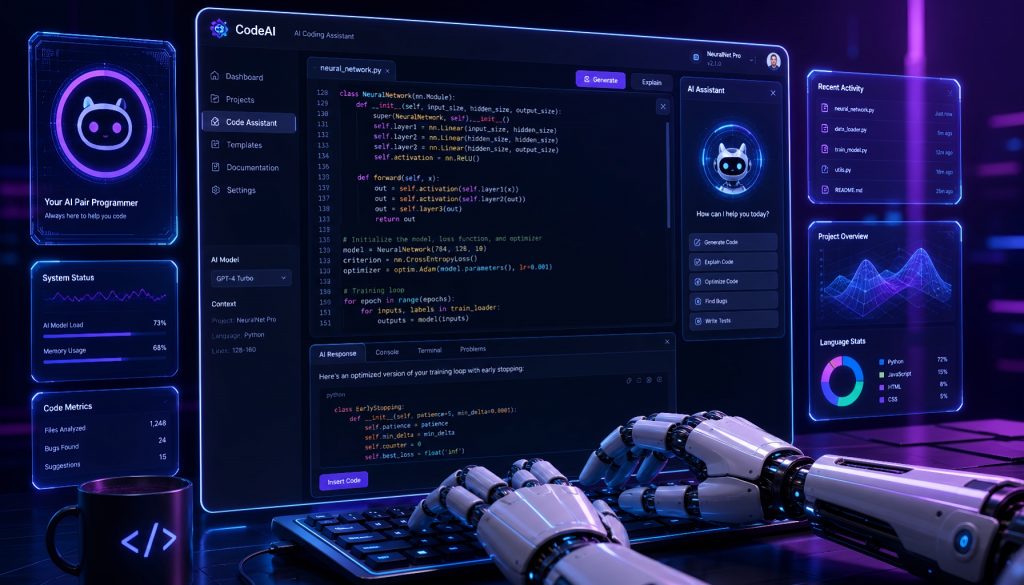
The shift happened faster than most engineering leaders expected. Two years ago, AI-assisted coding meant autocomplete on steroids. Today, AI-native development platforms are generating entire applications from natural language specs, handling deployment, and iterating based on feedback loops that used to require a full sprint cycle.
This isn’t about writing code faster. It’s about whether you need to write most of it at all.
I’ve spent the past six months putting these platforms through real workloads. Not toy demos. Actual production services, internal tools, and customer-facing prototypes. Here’s what I found, what works, what doesn’t, and what it means for your engineering org.
The Core Distinction: AI-Assisted vs. AI-Native
Most teams are still in “AI-assisted” mode. A developer writes code, Copilot suggests completions, maybe catches a bug. The human remains the primary author.
AI-native flips the model. You describe what you want. The platform generates code, tests, deployment configs, and monitoring. You review, adjust, and steer. The AI is the primary executor. You’re the architect and quality gate.
The traditional pipeline looks like this: PM writes spec, developers implement, QA validates, ops deploys. Four handoffs, each one a potential bottleneck.
The AI-native pipeline: describe the requirement in plain English, AI generates the implementation with tests and infra, you review and ship. One person, one loop, dramatically compressed cycle time.
Five Platforms Worth Your Attention
Replit Agent: Closest Thing to an AI Software Engineer
Replit Agent takes a natural language description and produces a working application. Not a code snippet. A full application with auth, database, API routes, and deployment.
A founder I know used it to build a complete SaaS prototype in two hours. User authentication, PostgreSQL backend, Stripe payment integration, deployed and accessible. The same scope would have taken a small team two weeks minimum.
Where it excels: rapid prototyping, internal tools, MVPs where speed matters more than architectural purity. It handles multi-language projects and includes hosting, so you go from idea to URL without touching infrastructure.
Where it struggles: complex business logic that requires deep domain knowledge, performance-critical systems, and anything that needs tight integration with existing enterprise codebases. The generated code is functional but often needs refactoring for long-term maintainability.
Best for: Early-stage teams, solo founders, internal tool development.
v0.dev: Vercel’s UI Generation Engine
v0.dev focuses specifically on frontend. You describe a component or page, it generates production-ready React with Tailwind CSS and shadcn/ui. The output deploys directly to Vercel.
The iteration model is what makes it useful in practice. You don’t get one shot. You describe, review the output, provide feedback (“make the sidebar collapsible,” “add a dark mode toggle”), and it adjusts. Three or four rounds typically gets you to something shippable.
For design system work, it’s remarkably effective. I used it to scaffold a complete component library for an internal dashboard. What would have been a week of a senior frontend engineer’s time took an afternoon of prompting and refinement.
The limitation is scope. v0 generates UI components. It doesn’t handle backend logic, database schemas, or API integrations. It’s a precision tool, not a general-purpose platform.
Best for: Frontend teams, design system bootstrapping, rapid UI prototyping.
Cursor: The Professional’s AI Editor
Cursor occupies a different position in this space. It’s a code editor (forked from VS Code) with AI so deeply integrated that the boundary between “writing code” and “directing AI” dissolves.
The critical difference from GitHub Copilot: Cursor understands your entire codebase. Not just the current file. When you ask it to refactor an authentication module, it knows which services depend on that module, which tests cover it, and what the downstream effects will be. It reasons across files and architectural boundaries.
For large, established codebases, this matters enormously. A complex refactoring that touches 40 files across 6 services? Cursor can plan and execute that in a single session, showing you the full change set for review. With Copilot, you’d be doing it file by file, manually tracking dependencies.
In my experience, Cursor is the platform that professional developers actually adopt permanently rather than trying and abandoning. The learning curve is gentle (it’s VS Code underneath), and the productivity gain scales with codebase complexity.
Best for: Professional developers, large existing codebases, complex refactoring.
Bolt.new: Full-Stack Generation in the Browser
StackBlitz built Bolt.new around a simple premise: a complete development environment in a browser tab, powered by AI that generates full-stack applications on demand. Frontend, backend, database, all running in a WebContainer without any local setup.
The zero-config aspect is useful for specific scenarios. Client demos, hackathons, teaching, rapid evaluation of technical approaches. You describe an application, watch it materialize in real-time with a live preview, then export the code to GitHub when you’re ready to take it further.
The constraint is also the strength. Because everything runs in the browser, there’s a ceiling on complexity. You won’t build a distributed system here. But for the 80% of internal tools and CRUD applications that most companies need? It handles those with surprising competence.
Best for: Rapid prototyping, client demos, hackathons, educational contexts.
GitHub Copilot Workspace: AI-Driven Development Workflows
GitHub’s entry takes a different approach. Instead of generating applications from scratch, Copilot Workspace integrates AI into the existing GitHub workflow. Point it at an issue, and it generates a pull request. Complete with code changes across multiple files, test updates, and documentation.
For teams already deep in the GitHub ecosystem, the friction reduction is significant. An issue gets filed, Copilot Workspace proposes a solution, a human reviews the PR. The AI handles the implementation grunt work while humans maintain quality control through the existing code review process.
The enterprise angle is clear: this plugs into existing security policies, branch protections, and CI/CD pipelines. No new platform to evaluate or vendor to onboard. It’s AI capability delivered through infrastructure you already trust and manage.
Best for: Enterprise teams, open source projects, organizations with established GitHub workflows.
What This Means for Engineering Leaders
The 3-Person Team That Ships Like 20
This is the headline number that keeps coming up in conversations with CTOs. Small teams equipped with AI-native platforms are producing output that previously required significantly larger headcount.
The math is straightforward. One architect who understands the system, one product person who understands the user, one AI-native developer who can direct these platforms effectively. That trio, with the right tooling, replaces a traditional squad of frontend engineers, backend engineers, QA, and DevOps.
I’m not saying this eliminates engineering roles. I’m saying it compresses the number of people needed for the initial build phase. You still need humans for system design, edge case handling, production operations, and the judgment calls that AI consistently gets wrong.
The Skill Shift Is Real
The developers who thrive in this environment have a different skill profile than five years ago. Writing syntactically correct code matters less. These skills matter more:
Prompt engineering and specification clarity. The ability to describe what you want precisely enough that an AI produces something usable on the first or second attempt. This is harder than it sounds. Vague prompts produce vague output.
Architectural thinking. When AI handles implementation, the human’s value concentrates in system design. How should components interact? What are the failure modes? Where are the scaling bottlenecks? These questions require experience and judgment that current AI cannot replicate.
Code review at speed. You’re not writing most of the code, but you’re responsible for all of it. The ability to read AI-generated code, spot subtle bugs, identify security issues, and assess maintainability becomes the core daily activity.
AI orchestration. Complex projects might use Cursor for the core codebase, v0 for the frontend components, and Copilot Workspace for handling issue-driven changes. Knowing which tool fits which task, and how to compose them, is its own skill.
Decisions You Need to Make Now
Train or hire? Most organizations I talk to are doing both. Upskilling existing senior developers on AI-native workflows while hiring junior developers who grew up with these tools. The juniors often adapt faster. The seniors bring the judgment and architectural knowledge that AI-native development actually amplifies rather than replaces.
Code ownership and liability. Who’s responsible when AI-generated code causes a production incident? Your code review process needs to evolve. Rubber-stamping AI output is not review. You need engineers who can critically evaluate generated code with the same rigor they’d apply to a junior developer’s PR.
Platform lock-in risk. If you build your entire workflow around Replit Agent and they change pricing, deprecate features, or get acquired, what’s your migration path? Consider this the same way you’d evaluate any infrastructure dependency. Have an exit strategy. Keep your code exportable. Don’t build processes that only work inside one vendor’s ecosystem.
The Timeline Is Compressed
Look at the progression:
- 2024: AI assists with code completion (the Copilot era)
- 2025: AI generates complete feature modules (the Agent era)
- 2026: AI as primary developer, humans as architects and reviewers
Each step took roughly a year. The pace isn’t slowing down.
If you’re leading an engineering organization, the question isn’t whether to adopt AI-native development platforms. It’s which ones, for which use cases, with what guardrails, and how quickly you can get your team productive with them.
The teams adopting now are capturing a compounding productivity advantage. Every month of experience with these tools makes the next month more productive. Every project builds institutional knowledge about where AI excels and where human judgment remains essential.
The teams waiting will find themselves in the same position as organizations that delayed cloud adoption in 2015. Still functional, still shipping. Just doing it at half the speed and twice the cost of their competitors.
Pick a platform. Run a real project through it. Measure the results. Then decide how aggressively to expand. The data will make the case better than any article can.
Related Reading
- AI-Native Development Platforms in 2026: The Tools That Actually Ship Code Now
- AI-Native Development Platforms and the Paradigm Shift: Building Software in 2026
Stay updated with our latest AI insights