Last fall, a friend running a cross-border ecommerce business vented to me about their chatbot disaster. Three weeks building it, first day live it collapsed. Customer asked “where’s my package” and the bot returned a long essay about logistics industry trends. Asked “can I get a refund” and it launched into the historical evolution of refund policies.
They’d used a drag-and-drop platform with a beautiful interface and satisfying flowcharts, but when real users started typing unpredictable questions, the natural language processing couldn’t handle it.
They scrapped it and rebuilt. Spent weeks deciding between Botpress and Voiceflow. You’ve probably heard both names. One came from open source, the other from SaaS. But when you’re actually choosing, many teams discover that while both claim to “build chatbots,” the underlying logic runs on completely different tracks.
Two Different Tracks
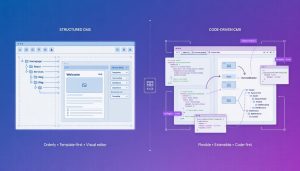
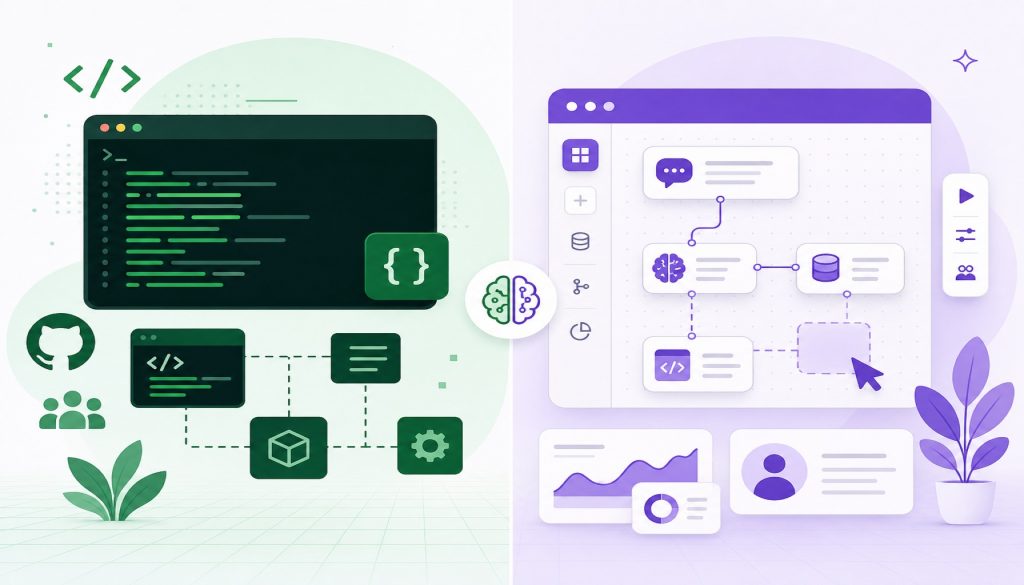
Botpress has developer-tool DNA. It went open source in 2017 under GPL v3, core code sitting on GitHub where you can fork it, modify it, deploy it yourself. By 2026 the cloud version, Botpress Cloud, has matured, but the philosophy stayed the same: give you maximum control, in exchange for having someone who can write code.
Voiceflow took another path. It started as a conversation design tool, core selling point is that visual canvas where product managers and designers can drag and drop dialogue flows without writing a single line of code. Nvidia and L’Oreal use it. What they bought was this: letting non-technical teams iterate on conversation experiences themselves.
Neither path is better. They’re aimed at completely different team types.
Feature Comparison
| Dimension | Botpress | Voiceflow |
|---|---|---|
| Deployment | Open source self-host + Botpress Cloud | Pure SaaS |
| NLU Engine | Proprietary + pluggable GPT/LLM support | Built-in NLU + third-party support |
| Visual Editor | Yes, but developer-styled | Core strength, smooth canvas |
| Channel Support | WhatsApp, Telegram, Slack, Web, etc. | Alexa, Google Assistant, Web, etc. |
| Target User | Developers, technical teams | Designers, PMs, business teams |
| Customization | Extremely high, code-level control | Medium, flexible within canvas boundaries |
| Team Collaboration | Code collaboration (Git-friendly) | Canvas collaboration (multi-edit) |
But tables can mislead. Take “Channel Support.” Botpress covers more messaging platforms, while Voiceflow is stronger in voice assistants (Alexa and Google Assistant are its traditional turf). Which channels your business actually runs on changes the weight of this row entirely.
Three Dimensions That Actually Affect the Decision
Pricing: Is the Free Tier Enough?
Both have free plans, but “free” means very different things.
Botpress Cloud’s free version gives you a certain message quota and number of bots. Go over and you pay as you go. For small teams, early experiments cost almost nothing, and as volume grows the cost scales linearly and predictably.
Voiceflow’s free plan limits collaboration seats and project count. The Pro version starts at $50/month, unlocking more seats and advanced features. If your team has five or six people who need to edit dialogue flows simultaneously, you can’t skip this expense.
One cost teams often miss: Botpress self-hosting is free software, but you absorb server costs, operations, and security updates. Many teams underestimate this part. Open source doesn’t mean zero cost.
NLU: Who Understands What Users Say
This is the chatbot’s lifeline. Users won’t follow your scripted prompts. They’ll use slang, make typos, pack three intents into one sentence.
Botpress uses a hybrid approach: a proprietary NLU engine handles basic intent recognition and entity extraction, while open interfaces let you plug in large models like GPT for complex dialogue. That means you can tune deeply for your business scenario, assuming someone on your team understands NLP.
Voiceflow’s NLU leans toward out-of-the-box. The built-in engine is adequate, training data can be annotated right in the canvas, friendly to non-technical people. But if your scenario is especially complex (multilingual mixing, dense jargon), you might hit a ceiling.
A 2026 trend: both are moving toward large models. Botpress’s advantage is flexible integration. You want GPT-4o, Claude, or your own fine-tuned model? All work. You can even route different conversation types to different models based on complexity or cost.
Voiceflow’s integration is catching up but has narrower options. For most use cases this doesn’t matter. The pre-configured model settings work fine. Where it shows up is edge cases: a customer with regional data residency requirements who needs to run models on-premise, or a team that wants to A/B test three different LLM providers simultaneously. Botpress gives you that flexibility. Voiceflow keeps it simple.
The my friend’s ecommerce team eventually picked Botpress. Not because Voiceflow couldn’t do it, but because their backend was a mess of custom APIs and legacy systems. They needed someone who could write integration code anyway. Once you’re writing code, might as well have full control.
Integration: How Many External Systems Can You Connect?
A chatbot can’t exist in isolation. It needs to connect to your CRM, ticketing system, payment gateway, your own backend APIs.
On the Botpress side, because the code layer is fully open, you can theoretically connect anything. Webhooks, REST APIs, custom actions. If you can write it, you can connect it. Official pre-built connectors exist for mainstream channels.
Voiceflow’s integrations rely on official APIs and pre-built integration modules. For common scenarios (Zendesk, Salesforce, Shopify) coverage is solid, but if you hit an obscure system or private internal APIs, you’ll need to use their API and handle the connection yourself. Flexibility is an order of magnitude lower than Botpress.
If your tech stack is standard (mainstream SaaS tools), Voiceflow’s pre-built integrations suffice. But if your backend is custom-built with non-standard interfaces, Botpress’s openness saves a lot of detours.
There’s a middle ground worth mentioning. Both platforms support webhooks, so technically you can bridge to any system by writing a small middleware service. I’ve seen teams do this with Voiceflow when they hit an integration wall. You write a tiny Node.js service that sits between Voiceflow and your weird internal API, translating requests. Works fine for simple cases.
But if you’re already writing and hosting that middleware, you start wondering why you’re paying for a SaaS platform that limits what you can do. This is where teams often switch. They start on Voiceflow for the visual editor, hit a wall on integration or customization, write workarounds, then realize they’ve recreated half of what Botpress gives them out of the box.
What Kind of Team Picks What
A few typical profiles:
Three to five person technical team building customer support into a SaaS product: pick Botpress. You have developers, you need deep customization, you don’t want platform limits. Self-host or use the Cloud version, either way migration costs stay low later.
Ten-person marketing team building a brand interaction chatbot: pick Voiceflow. Copywriters and designers can work directly without filing tickets to engineering every time they change a script. Canvas collaboration makes iteration much faster.
Enterprise client, multilingual, multi-channel, high concurrency: both can do it, but the paths differ. Botpress fits companies with dedicated AI teams who control the entire tech stack. Voiceflow fits organizations that want fast deployment and let business teams lead iteration.
Building a voice assistant (Alexa/Google Assistant skill): Voiceflow has deeper accumulation in this area, more complete toolchain. Botpress can do it but needs extra work.
Extremely limited budget, just testing the waters: both free plans are enough to start. Botpress Cloud’s pay-as-you-go is friendlier to low-traffic scenarios. Voiceflow’s free version lets you quickly prototype something to show your boss.
Early-stage startup pivoting fast: Voiceflow usually wins here. When you’re changing your product weekly and the chatbot needs to match, having non-developers iterate on flows without pull requests speeds everything up. Technical debt doesn’t matter when you’re just trying to find product-market fit.
Regulated industry with compliance requirements: Botpress self-hosted. When you need to prove to auditors that no conversation data leaves your infrastructure, SaaS becomes a non-starter. Healthcare, finance, government contracts. Self-hosting isn’t a convenience, it’s a requirement.
A Question with No Standard Answer
The worst thing about picking tools isn’t picking wrong. It’s asking the wrong question when you pick.
Many teams jump straight to comparing feature lists and pricing tables, but the real question is: three months from now, who will maintain this bot? Is a developer maintaining code logic, or is operations adjusting scripts and flows? The answer to that question basically decides which side you should be on.
Teams with strong technical ability will feel constrained using Voiceflow. Non-technical teams will feel stuck using Botpress. The fit between tool and team matters more than the tool’s feature ceiling.
One more thing to consider: in 2026 large model capabilities are still iterating fast. Today’s NLU solution might be outdated in six months. Picking an architecture with low switching costs might be smarter than picking the platform with the most features right now.
What Usually Goes Wrong
Both platforms work. Most failures come from mismatches, not bugs.
Common Botpress mistake: treating it like a no-code tool because Cloud has a UI. You can build simple bots without code, but anything production-grade needs a developer. Teams that don’t have one waste weeks hitting limitations that would take an engineer an afternoon to solve.
Common Voiceflow mistake: building complex conversation logic entirely in the visual canvas until it becomes unmaintainable. Fifty nodes with crossing arrows. Nobody can understand it three months later. The canvas is for structure, not for encoding every possible conversation branch. When flows get complex, you need to abstract some logic out. But Voiceflow’s abstraction mechanisms are weaker than writing actual code.
Another pattern I see: teams pick based on what’s trendy rather than what their team can actually maintain. Open source sounds impressive in a board meeting. Six months later nobody wants to upgrade the self-hosted instance because it means testing everything again. Meanwhile the SaaS version auto-updates and the team using it ships faster.
The Maintenance Question Nobody Asks Up Front
Here’s what happens after launch. Your chatbot is live. Users are talking to it. Some conversations work, some don’t. You need to improve it.
With Botpress, improvement looks like this: developer pulls logs, identifies patterns in failed conversations, adjusts intent matching code or adds new training examples, tests locally, commits to git, deploys. Takes a day or two depending on the change.
With Voiceflow, improvement looks like this: designer or PM pulls analytics from the dashboard, sees where users are dropping off, opens the canvas, adjusts the flow, adds new responses, publishes. Takes an hour or two.
Neither is wrong. They’re optimized for different team structures. But most teams don’t think about this until they’re already locked in.
I’ve talked to teams that switched platforms six months after launch because the maintenance model didn’t match their team. Going from Voiceflow to Botpress when you hire your first engineer. Going from Botpress to Voiceflow when your engineer quits and nobody else on the team can touch the code.
Migration isn’t impossible, but you lose time. Conversation flows don’t export cleanly between platforms. You’re rebuilding, not just importing.
The Real Decision
If you made it this far, you’ve probably noticed I’m not telling you which one to pick. That’s deliberate.
The question isn’t which platform is better. The question is which platform matches your team’s actual capability and tolerance for technical work.
Some teams say they want flexibility but what they actually want is for the bot to just work without anyone needing to touch code. Other teams say they want ease of use but then immediately start building complex integrations that need engineering.
Talk to the people who will actually maintain the bot. Not the person approving the budget, the person who’ll be in there editing flows or debugging integrations at 11pm when something breaks. What are they comfortable with?
Botpress if you have engineers and plan to keep them involved. Voiceflow if you want to hand it off to non-technical teams. Both if you’re a larger org with multiple bot projects and different teams running them.
And if you’re still not sure, pick the one with the lower switching cost for your situation. Free plans exist for a reason. Build the same simple flow in both, break something on purpose, try to fix it. Whichever one feels less frustrating is probably your answer.
Related Reading
- AI Customer Support Chatbot Builders in 2026: Chatbase vs Voiceflow vs Intercom Fin vs Tidio vs Botpress
- Botpress vs Voiceflow vs Chatbase vs Typebot: Which AI Chatbot Builder Actually Fits Your Team in 2026?
Stay updated with our latest AI insights