Here’s what nobody tells you about starting with AI in 2026: the problem isn’t finding good tools anymore. The problem is that most beginner advice sets you up to fail.
Go search “how to start with AI” right now. You’ll find articles telling you to try 20 different tools, memorize 50 prompt templates, and subscribe to three newsletters about the latest models. That’s how people give up in week two.
I’ve watched dozens of friends download ChatGPT, try it twice, then forget about it. Not because the tools aren’t useful. Because they started wrong. They tried to do too much, with too many tools, before building any real habit.
If you’re starting from zero in 2026, here’s what actually works: pick 2-3 tools, use them every single day for 30 days, then expand. That’s it. No complicated prompt engineering. No chasing the “best model.” Just daily use until it becomes automatic.
This guide will walk you through exactly that. We’ll cover which tools to start with, which tasks to try first, and how to build the habit in 30 days without burning out. By the end, you’ll have a working system, not just another bookmarked article.
Why Most People Fail at Starting With AI
Let me tell you about three mistakes I see all the time.
Mistake one: chasing the “best model.” Someone reads that GPT-4 is better than GPT-3.5, so they upgrade. Then they hear Claude is better for writing, so they sign up. Then someone on Twitter says the new Chinese models are catching up, so they try those too. A month later, they’ve tried six tools and mastered none of them.
Here’s the thing: for 90% of beginner tasks, the difference between models matters way less than the difference between using AI zero times per day versus five times per day. A free ChatGPT account you actually use beats a premium Claude subscription you forget about.
Mistake two: copy-pasting prompts from Twitter. There are entire accounts dedicated to “killer AI prompts.” People screenshot them, save them to Notion, then never use them. Why? Because prompts without context are useless. A prompt that works great for a marketing consultant writing LinkedIn posts won’t help you if you’re trying to summarize meeting notes.
The real skill isn’t collecting prompts. It’s learning to describe what you need clearly. That takes practice with real tasks, not a folder full of templates.
Mistake three: treating AI like Google. Google is for finding information that already exists. AI is for generating something new, restructuring information, or working through a problem with you. When people ask ChatGPT “what’s the capital of France,” they’re wasting its real strength.
The mindset shift you need: AI isn’t a search engine. It’s more like a very fast intern who’s read everything but needs clear instructions.
Most beginner guides skip this part. They throw you into “advanced techniques” before you’ve figured out what AI is actually good for. That’s backwards. First, you need to build instinct for which tasks fit AI. Then the techniques become obvious.
The Three Tools Every Beginner Should Actually Start With
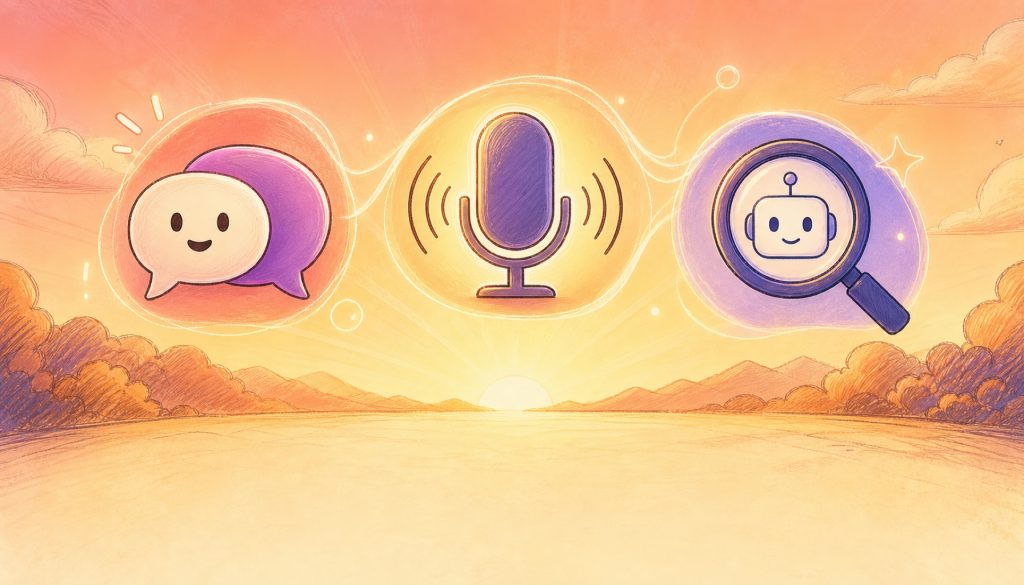
Forget the 47-tool comparison charts. Here are the three categories that matter for your first 30 days.
Tool One: A Daily Text AI (ChatGPT or Claude)
This is your main tool. Pick one and stick with it for at least a month.
If you want the easiest start: Use ChatGPT. Free tier works fine. The interface is simple, it handles most tasks well, and there are millions of examples online if you get stuck.
If you’re doing heavy writing or editing: Try Claude instead. It tends to produce more natural-sounding text and handles longer documents better. The free tier currently gives you enough messages for several days of real use.
Daily workflow: Open it every morning. Use it for at least three tasks per day. Email drafts, meeting summaries, breaking down projects, rewriting awkward sentences, whatever. The goal isn’t perfection. The goal is building the muscle memory of reaching for AI when you face a text task.
Example: You need to email a client about a delayed project. Instead of staring at a blank screen for 10 minutes, you open ChatGPT and type: “Help me write a professional email to a client explaining that we’ll deliver their website design three days late. Keep it under 150 words, apologetic but confident.”
Boom. 30 seconds later you have a solid draft. You edit it to match your voice, send it, and you’ve saved 10 minutes of the most annoying part of email writing (the first draft). Do that three times a day and you’re saving 30 minutes daily. That’s 3.5 hours per week.
Tool Two: A Voice-to-Text Tool
This one’s optional but powerful. Most people can speak 3-4x faster than they can type. If you capture that with AI transcription, you just tripled your input speed for certain tasks.
Built-in options: Both iOS and Android have decent dictation now. iPhone users can use the microphone button on the keyboard. Android has Google voice typing.
Upgrade options: Tools like Wispr Flow, Superwhisper, or even just recording voice memos and having ChatGPT transcribe them.
Daily workflow: Use voice for first drafts of anything longer than two paragraphs. Brain dump into your phone while walking, then clean it up with your main AI later. This is huge for people who think faster than they type.
Example: You’re planning a birthday party. Instead of typing out ideas, you record yourself for 90 seconds talking through the guest list, venue options, and timeline. You feed the transcript to ChatGPT with “turn this into a checklist sorted by deadline.” Five minutes total, party fully planned.
Tool Three: An AI Search Engine (Perplexity or ChatGPT Search)
Regular Google still works, but AI search tools can replace 70-80% of your searches with better results and less clicking.
Perplexity (free tier): Great for research and fact-checking. It searches the web, synthesizes results, and cites sources. Way better than clicking through 10 blue links.
ChatGPT Search (currently requires Plus subscription): Integrated into ChatGPT. Good if you’re already using ChatGPT as your main tool.
Daily workflow: Before you Google something, try asking an AI search tool first. Especially for questions like “best restaurants in Portland with outdoor seating” or “what are the tradeoffs between OLED and mini-LED displays.” You’ll get synthesized answers instead of SEO spam.
Example: You’re researching whether to upgrade your phone. Instead of reading six review sites, you ask Perplexity: “Compare iPhone 15 Pro vs Pixel 8 Pro for someone who cares about camera quality and battery life but doesn’t game. Which issues should I actually worry about?” Three minutes later you have a clear comparison with sources.
That’s it. Three tool categories. Pick one from each, use them every day for 30 days. Don’t add anything else until these feel automatic.
The 30-Day Habit Protocol
Here’s your concrete plan. Four weeks. One focus per week.
Week One: Use it three times daily, for anything
Your only job this week is volume. Find three opportunities every day to use your main AI tool. Doesn’t matter if the tasks are important. You’re building the neural pathway of “I have a task, let me check if AI can help.”
Easy targets: email drafts, rephrasing sentences, generating ideas for what to cook, making shopping lists more detailed, planning your weekend. Low stakes, high repetition.
Track this. At the end of each day, write down what three things you used AI for. After seven days, you’ll have 21 examples and a much clearer sense of what works.
Week Two: Build your cheatsheet
Now you’ve got some experience. This week, start keeping a note of what worked well. Not fancy prompts you found online. Your own patterns.
Example cheatsheet entries:
- “For emails: always specify tone (formal/casual), length, and main point”
- “For summaries: ask for 3-5 bullet points first, then details if needed”
- “When planning: ask it to break things into steps and flag which one to start today”
By the end of week two, you should have 8-10 of these personal patterns. This is your actual prompt library, built from real use.
Week Three: Automate one recurring task
Pick something you do at least twice a week that’s annoying. Common examples: weekly team updates, expense categorization, meeting agendas, newsletter outlines, meal planning.
Spend this week figuring out how to hand that task to AI. It won’t be perfect, but it should save you 50-70% of the time. That’s your first real workflow win.
Example: Every Monday you write a status update for your boss. You start saving rough notes throughout the week, then on Monday you feed them to ChatGPT with “organize these into a professional status update, 200 words, covering what shipped, what’s blocked, and next week’s priorities.” First time takes 10 minutes to get right. After that, it’s 3 minutes every Monday.
Week Four: Teach someone else
This is the fastest way to lock in what you’ve learned. Find someone who’s curious about AI and walk them through your system. Show them your cheatsheet, your favorite tasks, and one workflow you’ve automated.
Teaching forces you to articulate what you’re actually doing. Plus you’ll get questions that make you think about gaps in your own knowledge. That feedback loop is worth more than reading 10 more articles.
By day 30, you should have: one main tool you use without thinking about it, a personal cheatsheet of what works for you, at least one automated workflow, and enough confidence to help someone else start.
What to Avoid for the First 90 Days
You’re going to see a lot of shiny things. Here’s what to skip until you’re ready.
Don’t build custom GPTs or agents yet. These are tools for people who’ve already maxed out basic usage. If you’re still figuring out how to write a good prompt, you’re not ready to build a specialized chatbot. It’s like buying a 3D printer before you’ve learned to use a saw.
Don’t chase every new model announcement. There’s a new “game-changing” model every month. GPT-5, Claude 4, Gemini Ultra, whatever. Unless you’re already using your current tool five times a day, upgrading won’t help. Master what you have first.
Don’t buy annual subscriptions yet. Most tools have free tiers that are enough for beginners. Use those for 60-90 days. Once you’re sure you’ll use a tool long-term and you’re hitting free tier limits, then upgrade. Not before. I’ve seen too many people buy ChatGPT Plus in week one, use it twice, then forget about it for six months.
Don’t try to use AI for everything at once. Resist the urge to plug AI into your entire life overnight. Calendar management, meal planning, workout routines, reading lists, learning Spanish, all at once. That’s overwhelming. Pick 2-3 high-value use cases, nail those, then expand.
Don’t trust AI blindly on facts, numbers, or sources. AI tools in 2026 are much better than two years ago, but they still make up information sometimes. Double-check anything important. Especially dates, statistics, citations, and technical specifications. Think of AI output as a draft that needs verification, not gospel truth.
When You’re Ready to Expand
How do you know you’re past the beginner stage? Here are the signals.
Signal one: You’re saving measurable time. Not “this seems useful.” You can point to specific tasks and say “this used to take me 20 minutes, now it takes 5.” If you’re saving 30+ minutes daily, you’re ready for the next level.
Signal two: You have unmet needs. You find yourself thinking “I wish this AI could also do X.” Maybe you need image generation. Maybe you want better code assistance. Maybe you need a tool that reads PDFs. Those specific wants mean you’ve maxed out your current setup.
Signal three: You know why you want a specific tool. Not “everyone’s talking about this.” You can explain clearly what problem a new tool solves that your current tools don’t. That’s the sign you’re ready to add complexity.
At this point, consider:
- Upgrading to paid tiers if you’re hitting free limits
- Adding specialized tools for specific needs (image AI, code AI, PDF analysis)
- Learning advanced prompting like chain-of-thought or few-shot examples
- Building simple workflows that chain multiple AI tasks together
But only after you’ve nailed the basics. There’s no prize for speed-running to advanced techniques. The goal is reliable daily use that actually saves you time and mental energy.
Start Today, Not Tomorrow
Most people who read this won’t start. They’ll save the article, maybe forward it to a friend, then continue not using AI. Don’t be those people.
Here’s what to do right now, before you close this tab:
- Pick your main tool (ChatGPT or Claude, free tier is fine)
- Sign up if you haven’t already
- Give it one real task from your actual work today
Not a test. Not “let me see what it can do.” A real task. An email you need to write, a document you need to summarize, a plan you need to break down. Something you were going to do anyway.
See how it goes. If it saves you 5 minutes, try it again tomorrow. If it doesn’t work, adjust your prompt and try again. The only way to fail is to not start.
You don’t need to understand how AI works. You don’t need to read three more articles. You definitely don’t need to wait for the “perfect tool.” You just need to start using one tool, today, for real tasks.
30 days from now, you’ll either be someone who uses AI every day without thinking about it, or someone who meant to try it but never did. That choice happens in the next 10 minutes, not next week.
Go.
Related Reading
- Will AI Agents Kill Your SaaS Subscriptions? A Reality Check for 2027
- The Evolution of Prompting: We Keep Trying to Tame Something That's Getting Smarter
Stay updated with our latest AI insights



