Companies choosing AI automation platforms today aren’t doing it to chase trends. They’re doing it because the next wave of competitive advantage won’t come from who uses ChatGPT, but from who embeds AI into actual business processes first.
Over the past two years, many companies ran through a cycle of “AI demo euphoria.” They launched chatbots, connected knowledge bases, built impressive presentations. It all looked busy and promising. But when it reached actual business departments, the cracks showed fast. Being able to answer questions doesn’t mean being able to execute. Writing summaries doesn’t mean pushing approvals through, calling internal systems, pulling data, or closing tickets. Enterprises don’t need an AI that can chat. They need an automation layer that can embed into CRM, ERP, ticketing systems, approval workflows, and internal knowledge bases to actually get work done.
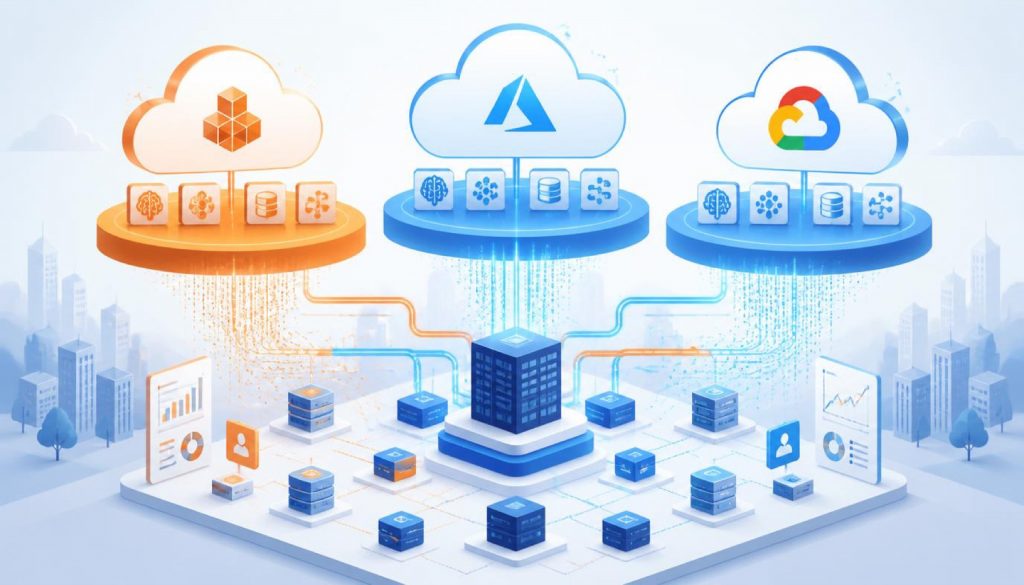
That’s why all three major cloud providers are betting hard on AI enterprise automation platforms in 2026. Microsoft wants to turn Copilot and Power Platform into an execution layer that extends beyond Office into the entire company. AWS wants Bedrock Agents to become the controllable agent orchestration foundation that enterprises can customize. Google is pushing Vertex AI Agent Builder toward a combination of search, conversation, and multi-model orchestration. All three claim they’re the future, but they’re taking completely different paths.
Let me cut to the conclusion first. If you’re already deep in the Microsoft ecosystem, Power Automate AI is the smoothest route. If you need cloud-based control, orchestration, and tight integration with your own systems, AWS Bedrock Agents is what engineering teams will pick. If you value search, knowledge question-answering, and multi-model capabilities, Vertex AI Agent Builder has real strengths, but it’s not a fit for every enterprise.
Microsoft Power Automate AI: The Platform That Mirrors How Enterprises Already Work
The core strength of Microsoft’s offering isn’t explosive model performance. It’s that Microsoft deeply understands how traditional enterprises actually operate. Power Automate was already a veteran in workflow automation. In 2026, after adding Copilot, AI actions, and Power Platform’s Solutions, Dataverse, and Approvals capabilities, it’s no longer just about drag-and-drop flows. It’s about embedding AI directly into the enterprise operating system.
Its strongest advantage is deep enterprise integration. Microsoft 365, Teams, Outlook, SharePoint, Dynamics 365, Power Apps, Dataverse. Most mid-to-large companies already use these tools. You don’t need to educate the organization to accept a new platform. Often, you’re just taking existing forms, approvals, emails, and document workflows and pushing them one step forward by connecting Copilot and AI-driven flows. The implementation friction is low, especially for non-technical teams.
Another layer of advantage is governance. Environment isolation, permissions, approvals, admin centers, license management. All the enterprise-flavored concerns that companies care about. Microsoft handles them maturely. Many CTOs might not love it, but many IT administrators will feel reassured. When enterprises buy AI platforms, they’re never just buying “smart.” They’re also buying “don’t create an audit nightmare for me.” Power Automate AI excels at that.
But the weaknesses are clear. First, flexibility isn’t as unlimited as the marketing suggests. You can connect AI, add logic, and automate plenty of tasks. But once your workflow becomes complex enough to span multiple internal systems, requires fine-grained agent reasoning, or needs deeper orchestration control, you’ll start feeling it hitting platform boundaries. Second, pricing isn’t cheap, and it fragments easily. When you stack Power Automate, Copilot, premium connectors, and various Power Platform licenses together, your budget spreadsheet can suddenly get very dramatic.
Who is this best for? Mid-to-large enterprises already heavily invested in the Microsoft ecosystem, especially process-heavy departments like sales, HR, finance, and operations. If you need fast deployment, strong governance, and seamless alignment with existing collaboration systems, and you’re not chasing the most cutting-edge agent architecture, this is a strong match. On the flip side, if you’re a tech-driven company that wants to build AI agents as core product capabilities, Power Automate AI might feel smooth but not ambitious enough.
AWS Bedrock Agents: Engineers Will Buy In, But Business Teams Might Not Fall in Love
AWS Bedrock Agents has a clear positioning. It’s not giving you a ready-made office automation suite. It’s giving you cloud-based agent orchestration infrastructure. The official documentation is straightforward about it. Agents can string together foundation models, knowledge bases, APIs, and user conversations to automatically decompose tasks, invoke action groups, query data sources, and return results to users. It doesn’t sound as “friendly” as Microsoft, but for engineering teams, this hits the right note.
Its biggest advantage is control and extensibility. You can build agents around the model capabilities in Bedrock, integrating knowledge bases, Lambda functions, internal APIs, permission systems, encryption, monitoring, and tracing. The entire pipeline stays within the AWS ecosystem. For companies already running significant workloads on AWS, this benefit is very real. You don’t need to stand up another heterogeneous platform, and you don’t have to worry about critical business processes getting stuck in some low-code black box. Especially in finance, insurance, retail, and SaaS scenarios with complex backends, Bedrock Agents feels right at home.
Another strength is that it’s more of a “platform foundation” than a “finished application.” You can define action groups, connect knowledge bases, modify prompt templates, review traces, and manage versions and aliases. This design makes it well-suited for continuous iteration. If Microsoft is selling you a furnished office, AWS is selling you land where you can build your own factory. For technically capable teams, that’s actually more attractive.
The problems are equally clear. First, deployment barriers are high. AWS says you don’t need to manage infrastructure, but that doesn’t mean you don’t need engineering capability. Agent design, API orchestration, permissions, observability, cost control. None of these are things business teams can easily handle on their own. Second, the business-side experience isn’t “ready out of the box.” You won’t have the same experience as with Power Automate, where you meet today, connect a few things tomorrow, and have operations colleagues using it the day after. AWS typically requires product, platform, and backend teams working together. The cycle is longer.
There’s another pitfall you shouldn’t overlook. Pricing may look friendly on the surface because it’s pay-per-use instead of licensing, but actual costs get distributed across model invocations, knowledge base retrievals, storage, API calls, log monitoring, and a whole stack of other services. The bill won’t be gentle.
Who is this for? Cloud-native enterprises with strong technical teams, complex internal systems, and high requirements for security and control. Especially for organizations already all-in on AWS, choosing this is almost a no-brainer. Who is it not for? Companies that want business departments to quickly self-serve, lack platform engineering resources, or just want to “get AI workflows running.” In those cases, choosing Bedrock Agents can easily turn into a complex multi-month project.
Google Vertex AI Agent Builder: Strong on Models and Search, But Not as Battle-Tested on Enterprise Execution Chains
Google’s approach starts from AI capabilities and works its way toward enterprise automation. Vertex AI Agent Builder’s advantage isn’t traditional workflow automation DNA. It’s Google’s accumulated strengths in search, retrieval, conversation, and multi-model capabilities. It’s suited for scenarios where “the question is complex, answers are scattered across many knowledge sources, and you want the agent to understand context and complete further tasks.” Think enterprise knowledge assistants, upgraded customer service, internal search, or complex question-and-answer workflows.
Its highlight is flexibility and intelligent experience at the model layer. Google’s own Gemini series is a core selling point, but the advantage of Vertex AI isn’t just in-house models. It’s that the entire platform brings together prompt engineering, retrieval, tool use, evaluation, and deployment capabilities into one unified system. For teams building advanced AI assistants, industry knowledge applications, or agent products with strong search capabilities, this setup is very appealing. You can feel that it starts from “making AI better at understanding and retrieving,” not from “how approvals and forms flow through the system.”
But the problem is also here. Enterprise automation platforms aren’t just about model intelligence. They’re also about connecting to real-world systems. Google often shines on the AI experience side, but once you enter enterprise intranets, approval chains, legacy IT systems, and organizational permission structures, it doesn’t have Microsoft’s overwhelming advantage or AWS’s foundation of “everyone’s backend is already here anyway.” The result is that building knowledge agents, customer service agents, or search agents goes smoothly. But trying to use it as a unified automation backbone for the entire company doesn’t feel as seamless.
To put it more bluntly, Vertex AI Agent Builder is a good fit for “AI-first” teams, but not necessarily for “organizational process-first” enterprises. It gives you a future-forward agent builder, not a workflow engine that already tightly fits traditional enterprise administrative structures. In terms of China region availability and deployment convenience, it’s not the most friendly option either. Many teams run into practical challenges around network access, compliance, procurement, and regional service support.
Who is this for? Product-driven companies with strong data teams that need to build knowledge-driven enterprise applications and care about search and multi-model capabilities. If you want to build next-generation intelligent customer service, research assistants, or enterprise knowledge engines, it’s worth serious consideration. But if you’re expecting it to help you streamline a bunch of approvals, emails, Excel files, and ERP workflows like Power Automate does, you’ll probably be disappointed.
Side-by-Side Comparison
| Dimension | Microsoft Power Automate AI | AWS Bedrock Agents | Google Vertex AI Agent Builder |
|---|---|---|---|
| Deployment Barrier | Low to medium, low-code friendly, business teams can participate | High, clearly engineering-oriented | Medium to high, AI teams pick it up more easily |
| AI Model Flexibility | Medium, strong ecosystem but limited model freedom | High, can do deeper orchestration around Bedrock | High, strong model and retrieval capabilities, standout AI experience |
| Enterprise Integration Depth | Very strong, unified with Microsoft 365/Dynamics/Power Platform | Strong, but mainly through custom APIs and AWS ecosystem integration | Medium-high, strong in AI and search, not a traditional workflow integration champion |
| Pricing Model | License + connector + Copilot stacking, easily gets complex | Pay-per-use, but hidden costs are distributed | Usage-based primarily, evaluation and operational costs can’t be ignored |
| China Region Availability | Relatively easier for enterprises to understand and procure | Depends on AWS region, architecture, and compliance design | Relatively limited, greater regional and enterprise deployment friction |
How to Choose: Stop Pretending All Three Are “Each With Their Own Strengths”
If you’re a traditional enterprise already heavily using Microsoft 365, Teams, Outlook, SharePoint, and maybe even Dynamics, stop overthinking it. Just prioritize Power Automate AI. It might not be the coolest, but it’s probably the one your organization can actually push forward, get approved, and have business departments actually use.
If you’re a cloud-native enterprise with a strong technical platform, lots of internal services, APIs, and data sources, and you want agents to become core business capabilities instead of just office productivity boosters, then AWS Bedrock Agents is worth the investment. It’s not the easiest option, but it has a high ceiling and gives you control. The prerequisite is accepting that this isn’t buying software. It’s launching a platform engineering project.
If you’re a product company that wants to build knowledge applications, intelligent customer service, research assistants, or enterprise search, or if you already treat AI experience as product differentiation, then Vertex AI Agent Builder should make your shortlist. Its value is in “smarter agent interactions,” not “more mature organizational workflow automation.” Don’t measure it with the wrong ruler.
For small and medium businesses with limited budgets and thin IT teams, honestly, all three are heavy lifts. Power Automate AI is the easiest to get started with, but watch out for the license trap. AWS and Google, without clear use cases and engineering teams, can easily bog you down right out of the gate. The most expensive thing about enterprise AI platforms isn’t the subscription fee. It’s burning six months on the wrong path.
In 2026, these three paths are crystal clear. Microsoft is selling organizational implementation. AWS is selling cloud control. Google is selling AI-native experience. There’s no universal answer, only which kind of reality you actually need. When choosing platforms, don’t get swayed by demos. Look at who can actually get the work done once it’s inside your company.
Further Reading: AI Workflow Automation Tools Compared (Gumloop vs Zapier vs n8n vs Make) | MCP vs Zapier vs n8n: How to Choose the AI Agent Execution Layer
Stay updated with our latest AI insights