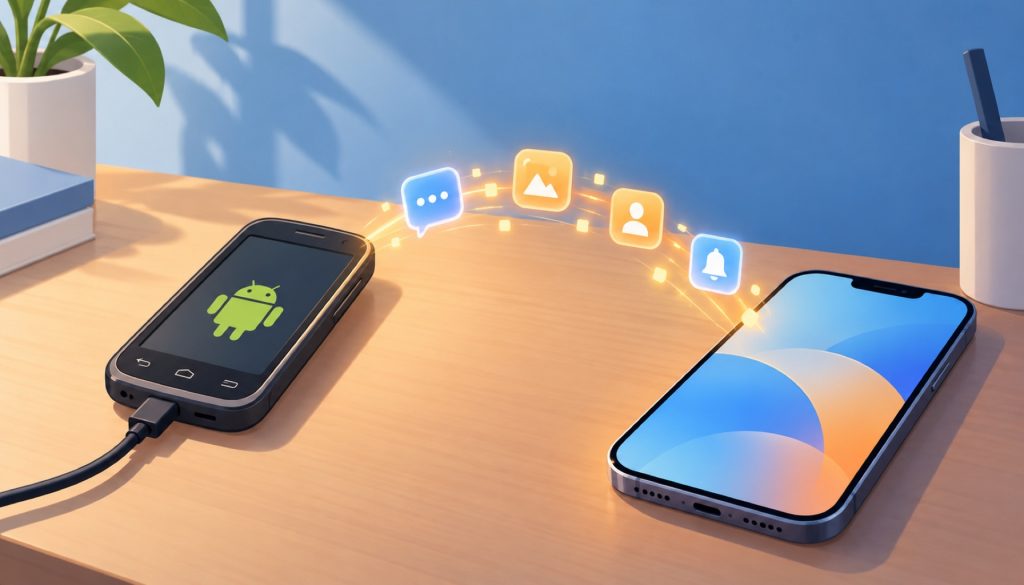
Most households with a technical person in them have one of these somewhere: an old Android phone in a drawer. The screen carries a scratch or two, the battery barely holds a charge, but plug in a cable and it still lights up. It sits on the home WiFi, quietly receiving verification codes, bank transaction alerts, delivery notices and the occasional data allowance warning from the carrier.
The trouble is that the phone is not in your hand. You are at the desk with your main device, in the kitchen with a tablet, in a meeting with your phone on silent. The messages land in the drawer. By the time you remember to look, the code expired ten minutes ago.
So people install SmsForwarder. The old handset watches its own screen, and every time a message arrives it forwards the content according to rules you wrote. After a few months of that, a thought shows up: could something else do this with less upkeep? You put the question in a search box and three names come back together, Bark, ntfy and Pushover. All three push messages to a phone, so all three get compared against SmsForwarder as if they were substitutes. That comparison is off from the first step.
Capture and delivery are two different jobs
A text message travelling from the drawer to your pocket passes through two stages. The first is capture: something inside Android receives the SMS broadcast, the call state, the contents of the notification shade. The second is delivery: something carries that text across the network and drops it into the notification list of an iPhone or a second Android.
SmsForwarder lives in the first stage. It is an Android app that uses the system permissions for SMS, call logs and notification access to read content, then distributes it according to rules you define. It can hand that content to a long list of destinations: DingTalk group bots, WeCom, Feishu, email, webhooks, Telegram bots, ServerChan, PushPlus, plain SMS, and one name that matters here, bark. The bark option inside SmsForwarder means the app is posting your text to Bark’s server.
Bark, ntfy and Pushover live in the second stage. They do not read your messages and they hold no Android SMS permission. They take a piece of text and turn it into a notification on a phone.
Once you see the split, “alternative” turns into three different questions. If SmsForwarder feels bloated and you want a simpler capture layer, none of these three is the answer, because none of them can read an SMS. If you are content with how SmsForwarder captures but dislike where it delivers by default, say into a DingTalk group or an inbox, then Bark, ntfy and Pushover are direct substitutes for the second half. The third case is the common one: keep SmsForwarder for capture, replace the delivery channel, run the two together. The old phone listens, Bark puts the text on your iPhone lock screen, and a single forwarding rule in SmsForwarder completes the chain.
What most people ask for is a replacement. What they usually want is that third arrangement. Splitting one do-everything tool into two tools with one job each also makes failures easier to place, since you can tell whether the capture side or the delivery side went quiet.
How each of the three behaves
Bark first. It is iOS only, both the app and the server are open source under the MIT licence, the GitHub repository sits at roughly 9.4k stars, and delivery runs over Apple’s APNs. There is no paid tier; it is free. Usage is about as direct as it gets. A GET or POST to an address shaped like /:key/:title/:body and the notification appears on the iPhone. The README documents how to run your own server, and encrypted push is supported, which matters if you would rather your message bodies did not pass through someone else’s machine.
The details are where Bark wins people over. Grouping lets server alerts and household matters land in separate lists. Custom icons and sounds are supported, and tapping a notification can open a URL you choose. Time-sensitive delivery cuts through Focus modes, and critical alerts are documented as bypassing silent mode and Do Not Disturb. A call parameter makes the phone ring repeatedly for thirty seconds, which is a different thing from a quiet banner when the message says a server is down or an elderly parent pressed a panic button. The surrounding ecosystem is active too: browser extensions, command line tools, GitHub Actions integrations, which suggests a fair number of people have adopted it as a long-term private notification pipe.
The limits are just as clear. There is no Android app. If your main phone is an iPhone this costs you nothing; if your main phone is Android, Bark does not exist for you. The default setup also uses the public server. Self-hosting is available, but it means maintaining a machine reachable from the internet, with a certificate to look after.
Suppose you carry an iPhone and the old Android in the drawer exists to catch codes. You put Bark’s key into SmsForwarder and write one rule: forward any SMS containing the word for verification code. You go back to work at the desk, the code arrives on the lock screen, a long press copies it, and nobody has to get up and open a drawer. The whole path costs nothing and no server needs tending.
ntfy is the most programmer-shaped of the three. The product is built around a single HTTP endpoint, and the first example in the documentation sets the tone: curl -d "Backup successful" ntfy.sh/mytopic. One command, and the message is on every device subscribed to that topic. Beyond curl there is an official ntfy CLI, so scripts, crontab entries and CI steps all work naturally.
Phone coverage is wider than Bark’s. Android has apps on both Google Play and F-Droid, and iOS is covered too. Topics need no registration or creation step. Pick a name, publish to it, and it exists. No account, no dashboard, no settings page, which suits anyone tired of signup flows and anyone unwilling to hand a phone number to yet another provider.
The cost of that design is that topic names are public. The documentation is explicit that anyone who knows a topic name can subscribe to it, so the name needs to be hard to guess. That sentence deserves a pause. Choose sms or myphone as a topic and someone who guesses right receives your forwarded verification codes in real time on their own phone. A long name with random characters treats the topic name as a weak password, which is what it is. The ntfy documentation lists no price for the service. The public server works out of the box, self-hosting is within its scope, and deployment details belong in the official documentation rather than in a summary like this one.
Who is ntfy for? Someone with a NAS or a VPS that stays on, someone comfortable solving problems with scripts, someone who wants notifications to come out of odd corners of a system. A backup script finishing, a scraper dying, a Raspberry Pi running hot. Bark can do those jobs too, but ntfy’s interface matches command line habits, and a self-hosted instance keeps the data on your own machine.
Pushover is the most product-like of the three. There is a published price page, a paywall, and a service commitment attached to it. According to the Pricing page, the individual licence is a one-time purchase per platform: iPhone and iPad count as one, Android as another, desktop as a third, at 4.99 US dollars each, with a thirty-day trial before you pay. Multiple devices on the same platform share a single purchase, and individual users pay no subscription. The team plan is billed per user per month at 5 US dollars and includes centralised management, a priority message queue and priority support. A free allowance of ten thousand messages per user per month applies, and both an API and an email gateway are provided.
That structure tells you who it is built for: people who expect to keep using it. Paying once buys a kind of certainty, since a free tier does not quietly change one morning and growing usage does not trigger an upgrade prompt. The per-platform billing is worth planning around. If notifications need to reach an iPhone, an Android and a desktop, budget for three licences.
The typical Pushover customer is someone who would rather not tinker. Perhaps they run a handful of servers at a small company, need alerts to arrive reliably, need several colleagues to receive them at once, and would like a support channel if something breaks. They do not want to stand up a server or spend a weekend reading issue threads across a dozen open source projects. Buying a licence per platform is cheaper than that weekend.
The three differ in how much control they give you over what a notification looks like. Bark offers the most on iOS, with grouping, icons, sounds, time-sensitive delivery and critical alerts all adjustable. ntfy centres on the HTTP endpoint, and getting the message out is the priority. Pushover sells a hosted service with an API and an email gateway attached. In simple cases you will not notice the difference. Once messages from different sources need different priorities, it becomes obvious.
Why one table is awkward
Putting these three in a table with SmsForwarder is a stretch, because they do not share a set of axes. Capture and delivery divide the problem vertically; platform, price and self-hosting describe it horizontally. Forcing them into the same grid invites the reader to assume they compete at the same layer.
The table below therefore carries a column asking whether the tool can capture SMS at all. That column is not a quality score. It exists to make the substitution visible: only SmsForwarder answers yes, and the other three are N/A. Read the first four rows as delivery channels and the last row as a capture layer.
| Tool | Price / licence | Self-hosting | Captures SMS | Fits |
|---|---|---|---|---|
| SmsForwarder | Free, BSD-2-Clause | N/A (local Android app) | Yes: SMS, calls, app notifications | Android users with a spare handset who need rule-based routing |
| Bark | Free, MIT | Yes, needs your own server | N/A | iPhone users who want detailed control over alert style |
| ntfy | No price listed in the documentation | Yes | N/A | People with an always-on server who send from scripts |
| Pushover | 4.99 USD per platform one-time; 5 USD per user per month for teams | N/A (hosted service) | N/A | Individuals and small teams who will pay once for a managed service |
Pushover’s self-hosting cell reads N/A because the pricing page describes a hosted service and I found no instructions for deploying the server yourself. Bark and ntfy both require a machine your phone can reach, which is more than installing software. Certificates, a domain and a process supervisor all become your responsibility.
The security question needs its own space
SmsForwarder has a surface many of its users never look at. From v3.0 it supports active control: sending SMS remotely, reading messages, reading call logs, reading contacts, checking battery level. v3.3 added automated tasks and shortcuts. For any of that to work, a server endpoint has to listen, and once that endpoint faces the public internet the character of the thing changes. It stops being a forwarder and becomes an Android device that accepts remote commands.
On 24 October 2026 a commit in the project addressed this area directly, fixing CVE-2026-110618. Per the commit notes, the server is fail-closed after the fix: a signing key is generated at startup, the remote interface is off by default and binds to the loopback address only, requests are rejected when the signing key is empty, authentication failures return 401, and a disabled server returns 403. The set of changes points at one conclusion, that the earlier default of being reachable from outside the network carried real risk.
Who should care? If you forward SMS to Bark and have never enabled the remote control server, you are largely outside the affected group. If you once opened that interface so you could check the old phone while away from home, and mapped it to the public internet, upgrade to a fixed build soon and re-examine what is exposed. Upgrading repairs the defaults; the open port is still yours to close. The README also states that the code is for testing, study and research, with commercial use prohibited, and the privacy notice says no private data is collected, with version statistics sent to Umeng at startup and a version number sent when you check for updates manually. Those two statements do not conflict, and both are informative: this is an individual project, not a product backed by a compliance team.
ntfy carries a different kind of risk. With no accounts, security rests entirely on nobody guessing a topic name. Self-hosted behind your own domain that is a small problem. On the public server the topic name functions as the password, and changing it means resetting every subscriber. Use a random string, not family, alarm or sms.
Bark’s key works the same way. The key in the URL is the credential. Whoever holds it can send notifications to your phone. Only notifications, but a message disguised as a bank alert is enough to mislead someone. Bark supports encrypted push for people who care about message content.
Choose by the hardware you already have
If an iPhone is your daily phone and the old Android exists to receive codes, the least effort path is SmsForwarder capturing and Bark delivering. No cost, ten minutes of setup, and Bark’s grouping keeps codes apart from everything else. Critical alerts and the call parameter make sure the urgent messages actually wake you. The one condition is that notifications pass through Bark’s public server; if that bothers you, self-host.
If the whole household runs Android, including your main phone, Bark is out. The choice becomes SmsForwarder pushing straight into the ntfy Android app, or the Pushover Android client. The first is free with a topic name you have to manage, the second is 4.99 dollars once and then forgettable. A NAS that stays on makes self-hosted ntfy an easy call, and the same instance can serve your other scripts.
If self-hosting was the goal from the start, the question is no longer which tool beats SmsForwarder but which stage you want to own. A self-hosted ntfy gives you the delivery channel. A self-hosted Bark server gives you the delivery channel. Neither touches capture, which still depends on SmsForwarder running on the old handset. Owning capture as well means writing the listener logic yourself with something like Tasker, and the work is much larger than installing an app.
If you are a small team that needs several people to receive an alert, Pushover’s team plan documents centralised management. Five dollars per user per month buys that, along with the priority queue and priority support. A self-hosted stack can be organised in a similar way, but you maintain it, and nobody is on call for you when it fails.
Back to the phone in the drawer. It does not need replacing. It needs a dependable way out. SmsForwarder does the listening, Bark or ntfy does the shouting, and Pushover takes the whole job off your hands when you would rather not run a server. Separate the two stages and the original question shrinks into something much easier to answer: which half did I actually want to change?
Related reading
- Beyond Reflex: Choosing Between Streamlit, NiceGUI and Gradio for Pure-Python Web Apps
- Sim Is Not Your Only Option: The Real Differences Between AI Agent Workflow Builders in 2026
- Smart Glasses Are Not the Next Phone. They Are the Next Agent Interface.
Stay updated with our latest AI insights