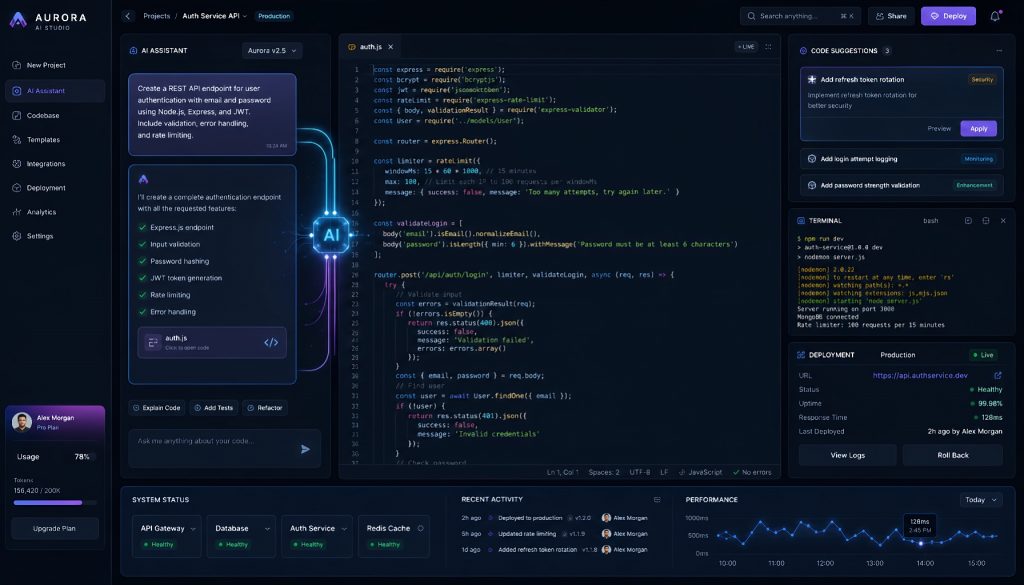
The role of AI in software development has shifted faster than most engineering leaders expected. Two years ago, AI was autocomplete on steroids. Today, AI is the primary executor of code, and the developer’s job looks more like architecture, review, and orchestration than line-by-line programming.
This isn’t a gradual improvement. It’s a structural change in how software gets built. The platforms driving this shift don’t treat AI as a sidebar feature. They’re built from the ground up with AI as the default builder and humans as the decision layer.
Here’s what’s actually working in 2026, what each platform does well, and what this means for your team.
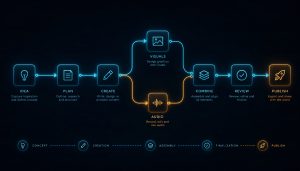
The New Development Loop
The traditional workflow was: developer writes code, runs tests, deploys, monitors, fixes bugs.
The AI-native workflow inverts this:
- A human describes what they want in natural language
- AI generates the code, tests, and deployment configuration
- AI monitors for errors and proposes fixes
- A human reviews, approves, and steers
The human hasn’t left the loop. But they’ve moved from executor to reviewer. The practical effect: a senior engineer’s output multiplies because they spend their time on judgment calls, not boilerplate.
Five Platforms That Define the Category
Replit Agent
Replit Agent is the closest thing to handing a spec to an AI programmer and getting a working application back. You describe what you want, the agent scaffolds the project, writes the code, installs dependencies, sets up the database, and deploys it.
The numbers tell the story. One solo founder built a complete SaaS prototype in two hours: user authentication, database schema, Stripe payment integration, and a working dashboard. That’s not a toy demo. That’s a functional product you can put in front of users.
Where Replit Agent fits best: early-stage founders validating ideas, internal tools that don’t justify a sprint cycle, and proof-of-concept builds where speed matters more than architectural perfection.
The tradeoff: you’re working inside Replit’s ecosystem. For teams with existing infrastructure and CI/CD pipelines, the output may need migration work to fit your stack.
v0.dev
Vercel built v0.dev specifically for UI generation. You describe a component or page in plain text, and v0 produces production-ready React code using Tailwind CSS and shadcn/ui.
This isn’t wireframing. The output is real, deployable code. Designers and product managers can generate functional UI components without waiting for a frontend sprint. Engineers can use it to skip the tedious first pass of layout work and focus on logic and state management.
Where v0.dev fits best: rapid prototyping of interfaces, design system exploration, and any situation where you need to go from idea to clickable UI in minutes rather than days.
The limitation: it’s a UI tool, not a full-stack solution. You still need backend logic, data fetching, and state management from other sources. But for the specific problem of turning a visual idea into working frontend code, nothing else is as fast.
Cursor
Cursor is an AI-native code editor that understands your entire codebase. Unlike bolt-on copilot features, Cursor indexes your project and uses that context to make edits that account for how your code actually works.
The practical difference shows up in refactoring. Ask Cursor to rename a concept across your codebase, and it updates the model, the API routes, the tests, and the frontend components. It understands the relationships between files, not just the file you’re looking at.
Where Cursor fits best: teams with established codebases who want AI acceleration without abandoning their existing workflow. It works with your repo, your tools, your deployment pipeline.
For engineering teams already productive in VS Code, Cursor is the lowest-friction entry point to AI-native development. You keep your environment and gain an AI collaborator that actually understands the project.
Bolt.new
StackBlitz’s Bolt.new runs a full development environment in the browser. No local setup, no dependency management, no “works on my machine” problems. You describe what you want to build, and Bolt creates a working full-stack application in a browser-based sandbox.
The zero-config angle matters more than it sounds. Onboarding a new developer to a project typically takes days of environment setup. Bolt eliminates that entirely. You share a link. They’re coding.
Where Bolt.new fits best: hackathons, rapid prototyping, teaching, and any context where environment setup would eat a disproportionate share of the available time. Also useful for technical interviews and collaborative debugging sessions where you need a shared, reproducible environment instantly.
GitHub Copilot Workspace
GitHub’s entry into this space connects AI directly to the issue-to-PR pipeline. You point Copilot Workspace at a GitHub issue, and it proposes a plan, generates code changes across multiple files, and opens a pull request.
The integration with GitHub’s ecosystem is the key differentiator. It reads your issues, understands your PR conventions, and works within the collaboration patterns your team already uses. There’s no new tool to adopt. It lives where your code already lives.
Where Copilot Workspace fits best: teams deeply invested in GitHub’s workflow who want AI to handle the mechanical translation of “issue described” to “PR opened.” It’s particularly effective for well-specified bug fixes and feature additions where the requirements are clear.
What This Means for Engineering Teams
The Skill Shift
The skills that made someone a strong engineer five years ago aren’t disappearing. But they’re moving from daily execution to background knowledge.
Declining in daily importance:
- Writing code from scratch
- Memorizing framework APIs
- Manual debugging through print statements
- Boilerplate generation of any kind
Rising in daily importance:
- Prompt engineering: knowing how to describe what you want so AI builds the right thing
- Architecture design: deciding how systems should be structured before AI fills in the details
- Code review at scale: reading and evaluating AI-generated code quickly and accurately
- AI orchestration: choosing which tool to use for which part of the problem
The best engineers in 2026 are the ones who can look at AI-generated code and immediately spot where it made a bad assumption. That requires deep technical knowledge. But it applies that knowledge differently than writing the code yourself.
Team Size Economics
The most disruptive effect is on team size. Three-person teams are now producing output that would have required twenty people two years ago. The AI handles implementation volume. The humans handle decisions, quality standards, and product direction.
This changes hiring math for every technical leader. Do you need ten backend engineers, or do you need three senior engineers who are skilled at directing AI? The answer depends on your domain, your compliance requirements, and how much of your work is novel versus routine. But the question itself is new, and ignoring it is expensive.
Enterprise Decisions That Can’t Wait
Train or hire? Your existing senior engineers can learn AI-native workflows faster than new hires can learn your domain. The learning curve for prompt-driven development is weeks, not months. Invest in training your current team.
Security and compliance. AI-generated code needs the same review standards as human-written code, possibly more rigorous standards. Your CI pipeline should treat AI output as untrusted input: run static analysis, enforce test coverage, flag unusual patterns. Most of these platforms don’t yet meet SOC 2 or HIPAA requirements out of the box.
Vendor lock-in risk. Every platform listed here has a different lock-in profile. Cursor is the least sticky since it works with your existing code. Replit and Bolt create environments that may require migration. Evaluate exit costs before committing your team’s primary workflow to any single platform.
The Timeline That Got Us Here
- 2024: AI-assisted coding. Autocomplete, inline suggestions, chat-based Q&A about code.
- 2025: AI-generated modules. Give AI a function spec, get back working code. Still human-orchestrated at the project level.
- 2026: AI as primary developer. Human sets direction, reviews output, and makes architectural calls. AI handles the majority of code production.
The shift from 2025 to 2026 wasn’t one breakthrough. It was the accumulation of better models, better context windows, better tool integration, and better UX for human-AI collaboration. Each platform found a different angle on the same underlying capability.
Choosing Your Entry Point
If you’re evaluating these platforms for your team, here’s the decision framework:
- Starting a new product from scratch? Replit Agent or Bolt.new. Speed to first version is everything.
- Improving an existing codebase? Cursor. It meets your code where it lives.
- Need better UI velocity? v0.dev. Plug it into your existing frontend workflow.
- Want AI in your existing GitHub flow? Copilot Workspace. Minimal adoption friction.
None of these are mutually exclusive. Many teams use two or three in different contexts. The important thing isn’t picking one winner. It’s recognizing that the engineering workflow has permanently changed, and building your team’s capability around that reality.
The companies that adapt fastest won’t just ship more code. They’ll ship better products with smaller teams, and they’ll do it while their competitors are still debating whether AI-generated code is “good enough.” It is. The question now is how well you direct it.
Related Reading
- AI-Native Development Platforms Are Replacing Your Engineering Team
- The Developer New Job Title: AI Manager
Stay updated with our latest AI insights