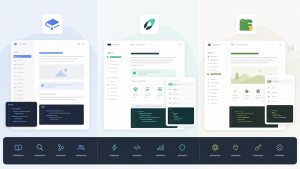
Here’s the short answer: engineering teams should pick Linear, business teams should go with Asana AI or Monday.com AI, and teams that want one tool to rule them all should choose ClickUp AI (but be prepared to feel overwhelmed by features).
There’s no universal best project management tool. There’s only the one that fits how your team actually works.
What AI Changed in Project Management This Year
Project management tools used to compete on things like “who has the better kanban board” or “whose Gantt charts look prettier.”
That’s not the game anymore. AI has started getting into the core workflows: breaking down tasks automatically, predicting timelines, spotting risks before they blow up, generating status reports.
The gap between different tools is huge, though. Some just slapped on a “help me write this task description” button. Others are analyzing historical data and proactively warning you about problems before they become fires.
How Each Tool Positions Itself
Linear
Linear was built for engineering teams, period. The interface is minimal, the app is fast, keyboard shortcuts run the show. Developers love it.
The AI feature is called Linear Asks. It can pull tasks automatically from Slack messages, GitHub PRs, and documents, cutting down on manual entry. In 2026, they added AI-powered priority sorting that reorders your backlog based on historical completion rates and deadlines.
The catch: Linear is not friendly to non-technical teams. Marketing, ops, and HR folks will find it too rigid.
Asana AI
Asana’s AI is called Asana Intelligence. The pitch is “helping you see the big picture.” It spots project risks automatically, generates status reports, and predicts which tasks might slip.
For business teams, Asana has a gentle learning curve, tons of templates, and quick onboarding. The AI features aren’t the flashiest, but they’re practical. The auto-generated weekly report feature is one of those things where once teams start using it, they can’t go back.
Monday.com AI
Monday positions itself as a “Work OS” that any team can use. Its AI fills in fields automatically, generates task summaries, and analyzes project health.
The biggest strength is flexibility. You can configure it as a CRM, project tracker, recruitment pipeline, almost anything. But that flexibility is also the problem: it means spending time on configuration. The out-of-box experience isn’t as smooth as Asana.
ClickUp AI
ClickUp has more features than anyone else, full stop. Its AI writes task descriptions, summarizes discussions, generates documents, analyzes data. The new ClickUp Brain 2.0 launched in 2026 can answer questions across workspaces, essentially becoming an internal knowledge base AI.
But ClickUp’s longstanding issue remains: too many features create chaos. Many teams use it for six months and still haven’t figured out everything. The AI features often get ignored because the entry points are scattered everywhere.
Core Capabilities Compared
| Dimension | Linear | Asana AI | Monday.com AI | ClickUp AI |
|---|---|---|---|---|
| AI Task Automation | ★★★★ | ★★★★ | ★★★★ | ★★★★★ |
| AI Risk Prediction | ★★★ | ★★★★★ | ★★★★ | ★★★ |
| Engineering Team Fit | ★★★★★ | ★★★ | ★★★ | ★★★★ |
| Business Team Fit | ★★ | ★★★★★ | ★★★★★ | ★★★★ |
| Learning Curve | Low (engineers) / High (others) | Low | Medium | High |
| Pricing | From $8/user/month | From $10.99/user/month | From $9/user/month | From $7/user/month |
| AI Feature Pricing | Included in Plus+ | Requires Advanced plan | Included in Pro+ | Included in Business+ |
Choosing by Scenario
Pure engineering teams (dev, product, design)
Go with Linear. It’s fast, the interface is clean, and the GitHub/GitLab integration goes deep. The AI feature that automatically extracts tasks from your code repository solves a real pain point for dev teams.
Cross-functional business teams (marketing, ops, sales, HR)
Pick Asana AI. Lots of templates, easy to learn, and the AI risk prediction plus auto-generated reports deliver the most value for business teams.
Teams needing highly customized workflows
Choose Monday.com AI. It has the strongest flexibility of the four and can adapt to all kinds of unusual business processes. Just budget time for configuration.
Teams wanting one tool for everything (projects + docs + knowledge base)
Go with ClickUp AI. It covers the widest range of features, and ClickUp Brain 2.0’s cross-workspace Q&A is genuinely useful. But be ready for “too many features, needs governance.”
Small teams on tight budgets
ClickUp has the lowest starting price, and the free tier is relatively generous. Linear also has a free version that works well for small engineering teams.
Common Traps to Avoid
Trap 1: Upgrading for AI features you won’t actually use
Asana’s AI features require the Advanced plan ($24.99/user/month), more than double the base tier. If your team just needs basic task management, the AI premium isn’t worth it.
Trap 2: Treating ClickUp as a silver bullet
ClickUp does have tons of features, but “tons of features” doesn’t mean “right for you.” Many teams discover after three months that everyone uses it differently, creating more chaos than a simpler tool would.
Trap 3: Underestimating Linear’s barrier for non-technical roles
Linear is a godsend for developers, but if your team has lots of non-technical people, they might find Linear too austere and cold. Mixed teams should proceed carefully.
Trap 4: Underestimating migration costs
Your project management tool has accumulated massive amounts of historical data, workflow configurations, and team habits. Switching tools costs way more than you think. Before choosing, ask yourself if you can commit to using it for three years.
Frequently Asked Questions
Q: How do I choose between Linear and Jira?
If your team is under 100 people and you value speed and simplicity, pick Linear. If you’re larger, have complex processes, and need deep customization, pick Jira. Linear’s AI features are more modern right now, but Jira’s ecosystem and integration depth are irreplaceable.
Q: How accurate is Asana AI’s risk prediction?
It’s based on historical data, so accuracy depends on your team’s data quality. If your team has logged six months or more of project data in Asana, the predictions will be fairly useful. For new teams just starting out, the AI predictions won’t mean much.
Q: For mid-sized teams (50-200 people), which is better: Monday.com AI or ClickUp AI?
It depends on team structure. If you’re a single-function team, Monday.com’s configuration flexibility is more valuable. If you’re a multi-function mixed team, ClickUp’s feature coverage is broader. For both, I’d recommend trying the free trial for two weeks before deciding.
Q: Will these AI features replace project managers?
No, at least not now. What AI can do is reduce repetitive work: writing status reports, organizing meeting notes, catching obvious risks. The real project management judgment calls (priority tradeoffs, resource coordination, stakeholder communication) still need humans.
Q: What’s next for project management AI in 2026 and beyond?
The direction is moving from “helping you record things” to “proactively executing.” Future project management AI won’t just help you write task descriptions. It will automatically assign tasks, adjust plans, and intervene before risks materialize. Both Linear and Asana have clear roadmaps in this direction.
Final Thoughts
Before choosing a project management tool, figure out who your team is and how they work. Then look at AI features.
AI is a bonus, not the core decision factor. A tool with strong AI that your team won’t use is worse than a tool with decent AI that everyone actually uses.
Engineering teams should pick Linear. Business teams should pick Asana AI. Teams needing high customization should pick Monday.com AI. Teams wanting one tool for everything should pick ClickUp AI.
Related reading
- The Real Cost of Monday.com in 2026: 5 Alternatives That Wont Drain Your Budget
- Best Monday.com Alternatives for 2026: 5 Tools That Actually Respect Your Budget
- 5 Best Monday.com Alternatives in 2026 That Won’t Break Your Budget
- Still on Vercel in 2026? These 5 Alternatives Might Fit Your Project Better
- Anthropic Project Deal: Why Agent-to-Agent Commerce Is Coming Fast
Stay updated with our latest AI insights