The first alert hit the monitoring channel at 1:40 in the morning.
A product price scraper that had been running for the better part of a year, dropping a clean batch of data every hour the day before, started timing out everywhere at once. The logs looked strange. Nothing was being refused. Pages came back with a 200. The body had just turned into a Cloudflare challenge screen. Ops cycled through a fresh set of proxies, all clean residential IPs, and nothing changed. Someone floated rate limiting as the cause, so concurrency came down from 20 to 3. Still nothing.
What broke the deadlock was a colleague opening the same URL on his own laptop and seeing the product list load without a hitch. Same network, same proxy, same target site. One difference: he was using the Chrome he browses with every day, and the script was driving a Chromium launched by Playwright.
Anyone who has built scrapers, automated tests, or RPA flows has some version of this story. The lesson buried in it isn’t that anti-bot systems got stricter. It’s a more specific technical fact: the site was never measuring how fast you asked for things. It was deciding whether there’s a person behind the screen. Once that’s the question on the table, tool selection stops being about which framework has the nicer API and turns into which browser can hold the act together.
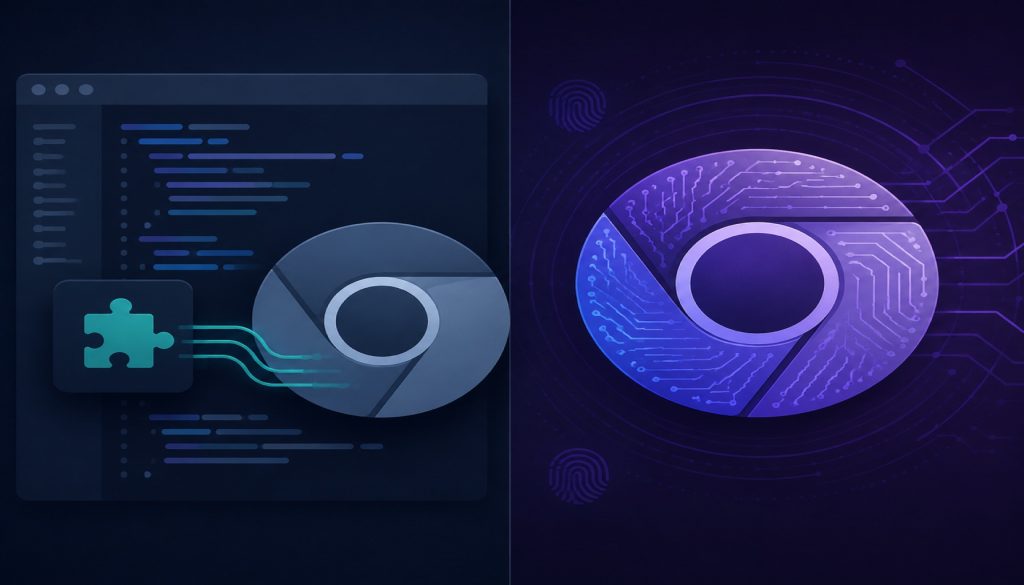
The two options in front of us represent the two answers people have found. One is the familiar route: Microsoft’s Playwright plus community stealth plugins, patching the browser from the JavaScript layer. The other is what CloakBrowser does, which is to go edit Chromium’s C++ source, compile a new browser out of it, and wrap the result in an API identical to Playwright’s.
What the site is actually looking at
You can’t rank the two approaches without knowing what cards the detection side is holding. There aren’t many, and once you’ve seen them, every argument about anti-detect tooling turns out to be circling the same four.
The shallowest one is the automation flag. When a browser is driven by a program, navigator.webdriver flips to true. That’s written into the W3C spec, and the intent behind it was good: let the page know a testing tool is at the wheel. Dropped into an anti-scraping context, it becomes the cheapest possible filter. One line of JS answers it.
A layer down sits fingerprinting. Hand the same drawing instructions to different GPUs, different drivers, different font libraries, and the resulting image differs at the pixel level. Hash that image and you have a canvas fingerprint. WebGL will hand over vendor and model strings for the graphics card. The audio pipeline has numerical quirks of its own. Which fonts a system has installed can be probed one at a time. Individually none of these values is sensitive. Assembled, they work like an ID card. The part that hurts is consistency. A machine that claims to be Chrome on macOS but reports a GPU model typical of a Linux server, with the standard Apple font sets missing from its list, has contradicted itself. Detection doesn’t need to prove you’re a bot. Catching you in a lie is enough to earn you a low score.
Deeper still is the network handshake. When a TLS connection goes up, the client dumps out the cipher suites, extensions, and ordering it supports, and that arrangement carries a signature of its own. The industry calls the fingerprinting algorithms for it JA3 and JA4. There is a known shape to what real Chrome sends. If your browser says Chrome and the handshake says otherwise, the server has made up its mind before a single byte of the page renders.
The last layer is behavior. Does the mouse travel in straight lines, does it decelerate before a click, are keystroke intervals spaced like a metronome, does scrolling jump a notch at a time or carry momentum. None of this convicts you on its own, but it accumulates into the score. That 0.0 to 1.0 number reCAPTCHA v3 hands out feeds heavily on this layer.
With the four cards face up, the selection criteria write themselves: how far down does your approach reach, and how solid is the coverage at each level it claims.
The familiar route: Playwright plus a plugin layer
Playwright is Microsoft’s browser automation framework, Apache 2.0 licensed, fully open, free to use, modify, and ship commercially. From day one it was built for end-to-end testing, not for evading detection. So the official build contains no disguise logic whatsoever. navigator.webdriver dutifully reports true, and in headless mode the User-Agent says HeadlessChrome right out in the open. For testing that’s the correct behavior. You’re testing your own site. Hiding buys you nothing.
The anti-detection work happens in the community. playwright-extra supplies the plugin mechanism, puppeteer-extra-plugin-stealth supplies the disguise modules, and together they’ve been the default combination for years. The approach is to inject a block of JS before each page loads and rewrite the properties that would give the game away: set navigator.webdriver to false, populate navigator.plugins with a plausible-looking list, recreate the window.chrome object that only real Chrome has, and intercept WebGL queries so they return the name of a graphics card.
Cost is why this pattern spread. Install two npm packages, change a few lines of initialization, leave the rest of your script untouched. For the large population of sites that only implemented the first detection layer, that’s sufficient, and it has been sufficient for several years running.
The weakness lives in the same place as the strength: the patches change the output, not the mechanism.
JS injection has an awkwardness it can’t escape. To change how a function behaves, you have to replace it, and a replaced native function leaves marks in JavaScript. Print a native function and you get function toString() { [native code] }. Print yours and you don’t. So the plugin has to hijack toString as well and forge the printed result back into shape. Detection scripts know that trick, so they come at it sideways: inspect property descriptors, walk the prototype chain for inherited relationships, compare against Object.getOwnPropertyDescriptor, or pull an uncontaminated native implementation out of an iframe and diff it. This is a loop where you plug a hole and the other side probes for a hole, and the rules are lopsided by nature. Defense has to seal every entrance. Offense wins by finding one that isn’t sealed.
Two structural problems make it worse.
The TLS layer is simply out of reach for JavaScript. The encrypted handshake happens inside the browser’s network stack, and an injected script runs in the page, with no way to reach in. However convincing the page-level disguise gets, a handshake fingerprint that doesn’t match Chrome stays a handshake fingerprint that doesn’t match Chrome.
Then there’s maintenance cadence. Chrome ships a major version roughly every four weeks, and any release can shift the implementation details these patches depend on, retiring a working patch without warning. That demands a high update frequency from the plugins. Here’s something you can go check for yourself: the most recent npm releases of playwright-extra and puppeteer-extra-plugin-stealth both stopped in March 2023. Both packages are MIT licensed, the code sits there for anyone to fork and modify, and people in the community do maintain their own branches. But if your production jobs depend on the official packages directly, you’re depending on disguise logic that hasn’t moved in over three years to hold off a browser that updates monthly and a set of detection services whose models get tuned daily.
Nobody who publishes open source owes the world perpetual maintenance, and anti-detection work is draining. As the person choosing a tool, though, you have to put that premise in the ledger rather than leave it implied.
The other route: skip the patches, change the browser
CloakBrowser goes the opposite direction. If disguising things in the JS layer always leaves marks, then don’t work in the JS layer. Put the changes into Chromium’s C++ source and compile them into the binary.
Per the vendor’s site, those changes come to 73 patches, covering canvas behavior, the WebGL renderer, the WebGPU adapter, audio processing, font enumeration and font metrics, GPU vendor and model, CPU core count, device memory, screen parameters, timezone, language, User-Agent and Client Hints, the speech synthesis voice list, media devices, WebRTC IP exposure, storage quota, and WebAuthn capabilities, plus driver-level input behavior and removal of automation signals. The site puts it bluntly: this is a real browser, and anti-bot systems score it as a normal browser because that’s what it is.
Where does patching the source actually land differently? Go back to the toString example. In the JS approach, that function really was replaced, and all you can do is layer disguises over the evidence of the replacement. At the source level, the implementation is the one you wanted from the start. It *is* native. There’s no trace to find because no substitution ever happened. Detection scripts can rifle through property descriptors, climb the prototype chain, and open an iframe for a clean implementation, and every route returns the same self-consistent answer.
The TLS layer comes along for free. The network stack lives in the same binary, so the handshake fingerprint follows Chrome, and the test results listed on the site show ja3n, ja4, and akamai fingerprints all matching Chrome.
Behavior gets a switch. Turn on humanize=True and the mouse moves along Bézier curves, keyboard input carries pauses, scrolling has momentum. You can write this yourself. The hard part is writing a good version and then maintaining it for years, so collapsing it into a parameter does save real work.
The shape of the product is a self-compiled Chromium binary with a thin wrapper around it. Python users run pip install cloakbrowser, JavaScript users run npm install cloakbrowser, and the first launch pulls the binary for your platform automatically, around 200MB, cached locally after that. Every launch afterward is Playwright or Puppeteer driving that binary. Linux x64, Linux ARM64, Windows x64, and macOS are covered, the site lists the core as Chromium 151, and there’s a Docker image. Beyond Python and JavaScript, .NET has an entry point too.
One thing to be clear about: it runs on your own machine. Browser sessions, page content, cookies, login credentials all stay in your environment rather than passing through a third party. For work involving accounts and sensitive data, that distinction carries weight.
There’s also a capability that gets overlooked. It ships with a Manager, which the site positions as a self-hosted alternative to fingerprint browsers like Multilogin, GoLogin, and AdsPower. Each profile gets its own fingerprint, its own proxy, its own cookies, all running on the same core. Anyone doing multi-account operations will recognize what that is on sight.
Side by side
Here are the differences that matter, in a form you can check against your own situation. One caveat before you read it: the detection results and parameters in the right column come from CloakBrowser’s own published test page, which lists a most recent test date of August 2026 on Chromium 151. Vendor self-reported numbers deserve a discount, and only your own run counts. The site hands you a one-line cloaktest command against their Docker image, so verification is cheap.
| Dimension | Playwright + stealth plugins | CloakBrowser |
|---|---|---|
| Where the disguise happens | JS injected before page load, rewriting runtime properties | Chromium C++ source modified then compiled, 73 patches per the vendor |
| Automation flag | Rewritten by script, catchable by deep reflection | Handled at source level, navigator.webdriver reports false |
| TLS handshake fingerprint | Out of reach, JS can’t touch the network stack | Vendor reports ja3n / ja4 / akamai matching Chrome |
| Behavior simulation | Write your own movement paths and input timing | Single humanize=True switch |
| License and cost | Playwright itself Apache 2.0, plugins MIT, free throughout | Closed-source binary, subscription, free tier limited to one concurrent session |
| Maintenance status | Both plugin packages last published to npm in March 2023 | Per the pricing page, updated alongside each release, currently v151 |
| Deployment | Install npm packages, manage Chromium yourself | Pulls a 200MB binary automatically, self-hosted, Docker image available |
| Language support | Mostly the Node ecosystem | Python, JavaScript, .NET |
| Can you bundle it into your own product | Yes, as long as you respect the open source license | No, requires a separate OEM license |
| Migration cost | A few lines of initialization in existing Playwright code | Swap the import, leave the rest alone |
| CAPTCHAs | Not handled | Not handled, the site states plainly it isn’t a solving service |
| Proxies | Bring your own | Bring your own, no built-in rotation |
The last two rows deserve their own paragraph, because they’re where selection mistakes usually start. Neither side solves CAPTCHAs. CloakBrowser’s position is that it reduces how often a CAPTCHA gets triggered, not that it clicks through one after it appears. Proxies work the same way: both expect you to supply the IP resources. So neither option is an install-and-forget fix. Bad IP quality, dumb behavioral patterns, and absurd request pacing will get you blocked either way.
Money and freedom, counted together
Setting technology aside, licensing and cost are usually what settles the decision.
Playwright’s side of this is clean. Apache 2.0 for the core, MIT for the plugins, zero cost, commercial use fine, source modification fine, and you can bundle it into your own product and sell that to customers. The only thing you pay is time: debug your own failures, fix your own broken patches, write your own behavior simulation.
CloakBrowser is a commercial product. The binary isn’t open source, and it’s subscription-priced by concurrent session count. Current promotional pricing on the site runs $19 a month for Solo with 5 concurrent sessions, $49 for Team with 20, $199 for Business with 200, and $499 for Scale with 2000, against list prices of $29, $79, $249, and $699 respectively. All four tiers run the same latest core. What you’re buying is the concurrency ceiling. The free tier gives you one session, enough to verify whether your target site lets you through. Licensing is configured through the CLOAKBROWSER_LICENSE_KEY environment variable, with no code changes. Cancel a subscription and the current period keeps working, after which the wrapper drops back to the free version at its next license check and stops pulling new releases.
Two restrictions are worth reading before you commit, because they decide outright whether some teams can use this at all.
First, the binary can’t be redistributed, resold, sublicensed, or repackaged, modified or not. Running the original inside your own infrastructure is allowed, and so are Docker images, VM templates, CI runners, and internal artifact mirrors built for use inside your own organization. Listing it in a dependency manifest doesn’t count as redistribution, because the end user downloads the binary from the official channel.
Second, using it for your own business needs no OEM license, but embedding it in a product or service delivered to third parties, including running it on your own servers to serve external customers, which is to say anything resembling browser-as-a-service, requires a separately negotiated OEM or SaaS license.
Put those two on the table and some plans eliminate themselves. If you want to build a scraping SaaS and sell it, or ship an anti-detect browser inside your own RPA platform for customers to use, you can’t just install it and start charging. Flip it around and the restrictions are irrelevant: an e-commerce company tracking competitor prices, a QA team running its own regressions, an ops team managing a pile of accounts.
There’s also a middle option. The site mentions CloakBrowser Cloud, where they host the browsers and you connect over CDP with your own proxies, available on request through email. Teams that would rather not manage binaries and font environments can ask about it. They’re also piloting prepaid browser-hour packages for teams that prefer to pay by usage, which also goes through email.
Migration turns out to be trivial on both sides
This is probably the most reassuring part of the whole comparison: switching costs are near zero either way, because both options speak the same API.
If you’re already on Playwright, moving to CloakBrowser is mostly an import statement. In the Python example on the site, the three lines that created a playwright instance and launched chromium collapse into from cloakbrowser import launch plus a single launch() call, and everything after it, new_page, goto, all of it, stays as is. The JavaScript side works the same way, and Puppeteer users go through the cloakbrowser/puppeteer subpath. The site also mentions it’s been used alongside Selenium, and that AI browser agent projects like browser-use and Crawl4AI have built on top of it.
Moving to the playwright-extra stack isn’t hard either. Install the packages, wrap the chromium object with addExtra, use the stealth plugin, and your launch and interaction code stays put.
So the weight of the decision isn’t in the code changes. You can wire either option into an existing project in half an hour, throw a batch of real requests at your target site, and read the pass rate. The best way to make this kind of call has never been reading comparisons. It’s running a controlled experiment against the site you actually care about. Both sides let you try for free, one because it *is* free and the other because it has a free tier, so the trial costs you little beyond your own time.
Which one to pick
Forget positions. Go by situation.
If you’re writing automated tests against your own company’s product, plain official Playwright is the answer, and you don’t even need the stealth plugins. You aren’t fooling anyone, and you probably want the automation flag left in place so your test environments can recognize it. Layering disguise on top only slows down CI and makes failures harder to diagnose. The one scenario in this category where CloakBrowser might earn its place is when your own product has anti-fraud logic and you need to verify what real users experience under it, which calls for a client that looks human enough to complete the flow.
If you’re pulling public data from lightly protected sites at modest volume, the familiar route is fine. Playwright plus the stealth plugins, a decent set of proxies, sane pacing, and you’ll cover a fair number of sites. Upgrade when something actually blocks you rather than paying for a subscription on day one. Keep in mind those two packages haven’t shipped in over three years, so when you hit a problem, go read the issues and the various forks first. Don’t expect a fix from the official package.
If your jobs are already bouncing off Cloudflare, FingerprintJS, or ShieldSquare repeatedly, the two options aren’t in the same weight class. TLS fingerprinting and source-level consistency are structurally outside what a JS injection approach can cover, and piling more configuration onto the plugins mostly means spending your time on a hole that won’t close. Run a round on the free tier against your real target site first, then talk about a subscription once it passes. Tens of dollars a month against the salaried hours of an engineer permanently patching leaks is arithmetic that settles itself.
If you’re doing multi-account operations or RPA and need a pile of mutually isolated browser environments, the CloakBrowser Manager line deserves its own look. It competes with Multilogin, GoLogin, and AdsPower, with the difference being self-hosting, no cap on profile count, and your data staying in your own hands. If you’re currently paying a fingerprint browser per account, pull your total and compare it against paying by concurrency. The gap on paper can be substantial.
If you want to package browser capability into a product you sell, settle the licensing question before the technical one. CloakBrowser needs an OEM or SaaS license, and if that negotiation fails, the open source route is what’s left, which means staffing a team that can track Chrome releases indefinitely. That’s a long-term commitment, and it belongs in your product cost from the start.
If you’re an individual developer with no budget, mostly learning and tinkering, start with Playwright and the stealth plugins, and take the time to understand the four detection layers described above. That knowledge outlives any particular tool. CloakBrowser’s free tier makes a decent control group: run both against the same detection page and see how far apart the scores land.
One last practical thought
Nothing in the anti-detection space stays effective forever. Detection improves, disguise follows, and a site you clear today may block you tomorrow. CloakBrowser’s own FAQ admits it can’t win on every site every time, and that this is what they work on daily. That admission reads as more credible than any guarantee of universal success.
So when you’re choosing, skip the question of which one is stronger and ask two sharper ones. Which detection layers does this approach actually cover, and is somebody behind it keeping pace with Chrome’s release cadence. The first answer tells you whether it works now. The second tells you whether it still works in three months. The familiar route has a structural gap on the first question, and on the second it comes down to whether you’re willing to take over maintenance yourself. The newer route answers both, at the price of a monthly bill and a dependency on a closed binary.
As for that 1:40 am alert, the resolution was straightforward. They ran a control test on the free tier against the blocked target, it passed, they bought the subscription, swapped the import statement, and the job recovered the same day. The colleague’s Chrome could open the page and the script couldn’t, and the problem was never the network or the proxies. It was the browser.
One more thing while we’re here. CloakBrowser’s site spells out usage boundaries: legitimate automation only, your own accounts, your own data, public sites, no bulk registration, no credential abuse, nothing aimed at restricted financial or government targets. That isn’t only their contract language. It’s common sense for tools in this category. The more capability you hold, the more carefully you draw your own line, because the labor cost you saved will otherwise come back doubled from somewhere else.
Related reading
- Choosing AI Browser Automation Tools: Browser Use vs Stagehand vs Skyvern vs Playwright in 2026
- Stagehand Alternatives for Browser Automation: A 2026 Production Comparison
- The Browser Wars Are Back: When Your Browser Becomes Your Agent
- Monica vs Sider vs Merlin vs MaxAI: Pick One Browser AI Assistant and Uninstall the Rest
Stay updated with our latest AI insights