TL;DR
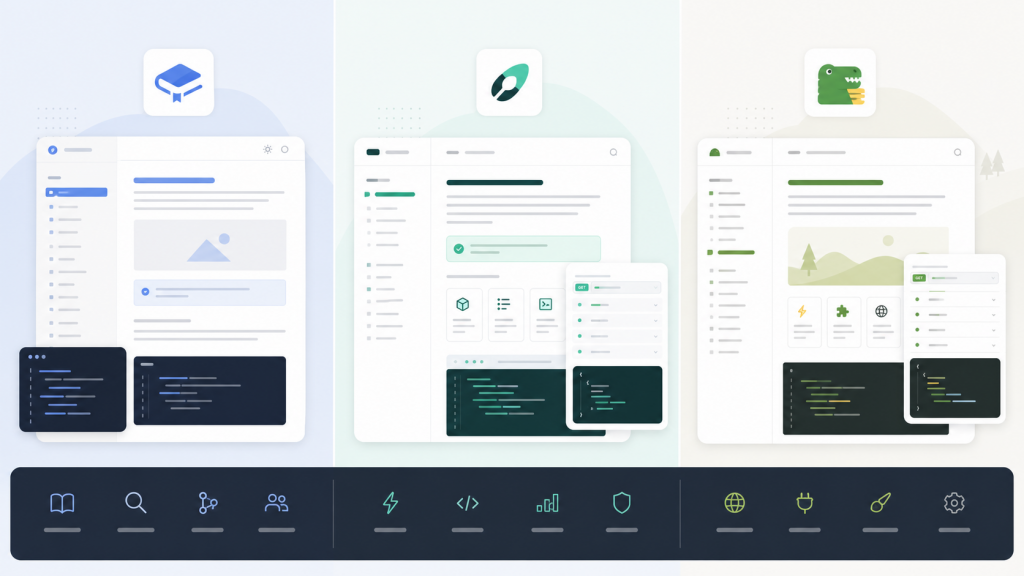
Four tools dominate developer documentation in 2026: GitBook, Mintlify, ReadMe, and Docusaurus. They all claim to be “developer-friendly,” but they serve very different teams at very different price points. Here’s the short version:
- API-first product? → ReadMe ($250/mo)
- SaaS startup wanting gorgeous docs? → Mintlify ($300+/mo)
- Balanced features + budget? → GitBook (~$154/mo for 5 people)
- Full control, zero lock-in? → Docusaurus (free)
I’ve dug into pricing, AI features, editing experience, and real limitations for each. No “they’re all great in their own way” cop-outs — I’ll tell you which one to pick and why.
How Do GitBook, Mintlify, ReadMe, and Docusaurus Compare?
| Feature | GitBook | Mintlify | ReadMe | Docusaurus |
|---|---|---|---|---|
| Team starting price | ~$154/mo (5 users) | $300/mo (5 users) | $250/mo (annual) | Free |
| Free plan | Yes (1 user, public) | Yes (1 user, custom domain) | Yes (custom domain, API ref) | Fully open source |
| AI search/answers | ✅ Pro user tier+ | ✅ Pro+ (metered) | $150/mo add-on | Via Algolia |
| AI writing assist | ✅ Pro user tier | ✅ Agent + Assistant | ✅ AI Linter + Writer | ❌ |
| API Playground | ❌ | ✅ Built-in | ✅ Best-in-class | DIY integration |
| Visual editor | ✅ | ✅ | ✅ | ❌ |
| Git sync | ✅ Bi-directional | ✅ | ✅ | Native Git |
| SSO | Ultimate ($299/site/mo) | Enterprise ($600+/mo) | Enterprise ($3,000+/mo) | Self-implement |
| White-label | Ultimate (extra fee) | Enterprise | Enterprise | No branding by default |
| Custom domain | Premium+ | Free plan | Free plan | Self-configured |
| Deployment | Hosted SaaS | Hosted SaaS | Hosted SaaS | Self-hosted |
| Versioning | ✅ | ✅ | ✅ | ✅ Built-in |
| i18n / Multi-language | ✅ | ✅ | Limited | ✅ Built-in |
| Learning curve | Low | Medium (MDX) | Low | High (React) |
How Much Does GitBook Actually Cost?
GitBook has been around longer than most tools on this list. It started as an open-source ebook tool, pivoted to a SaaS documentation platform, and now runs a dual billing model — you pay per site and per user.
Pricing (2026):
- Free — 1 user, 1 public site, gitbook.io subdomain, unlimited traffic
- Premium — $79/site/month — custom domain, AI search answers, PDF export, search analytics
- Ultimate — $299/site/month — site sections, cross-docs search, SSO (Azure/Auth0/Okta)
- User seats billed separately — Plus at $10/user/month (collaboration), Pro at $15/user/month (AI writing + advanced permissions)
A 5-person team on Premium + Pro users runs about $79 + $75 = $154/month. Reasonable. But scale to Ultimate with 10 editors and you’re looking at $450+/month before you blink.
What GitBook does well:
- Bi-directional Git Sync with GitHub and GitLab — genuinely seamless
- The editor is smooth enough for non-technical writers to use without training
- AI-powered search answers pull directly from your docs content, and the quality is solid
- The free plan is legitimately generous for open-source projects (unlimited traffic, public publishing)
- 14-day free trial, no credit card required
Where it falls short:
- The dual billing model (site + users) surprises people when the invoice arrives
- No built-in API Playground — if interactive API docs matter, look elsewhere
- Removing GitBook branding requires Ultimate tier, and even then it’s an additional charge
What Makes Mintlify Different?
Mintlify is the newcomer that’s been eating everyone’s lunch. Backed by $18.5M in Series A funding led by a16z, it counts Anthropic, Cursor, Vercel, and Perplexity as customers. The pitch is simple: documentation that looks so good it feels like part of the product, plus AI that actually keeps docs up to date.
Pricing (2026):
- Hobby (Free) — 1 editor, custom domain, web editor, API Playground, basic analytics
- Pro — $300/month (includes 5 editor seats; additional editors $20/person/month) — AI assistant, AI writing agent, preview deployments, password protection, Git sync
- Custom (Enterprise) — $600+/month — SSO, SOC 2, white-label, multi-site management, dedicated account manager
One thing to watch: AI usage is metered. Every AI message consumes quota, and overages cost extra. Heavy AI users can easily add $30–$100/month on top of the base price.
What Mintlify does well:
- Design quality is a tier above everything else in this space — sites look polished out of the box with zero custom CSS
- The AI Agent (Autopilot) monitors your code repository and suggests documentation updates when code changes — this is genuinely useful for fast-shipping teams
- Built-in API Playground generated directly from OpenAPI specs, with in-doc request testing
- Docs-as-code workflow using MDX, with full React component support
- The customer list speaks for itself: Anthropic, Coinbase, Zapier, Twilio
Where it falls short:
- $300/month is a steep starting price for early-stage teams, and AI overages can make budgeting unpredictable
- MDX format has a learning curve for content writers who aren’t developers
- SSO is locked behind the $600+/month Enterprise plan — frustrating for mid-size companies that need it
Is ReadMe Best for API Documentation?
ReadMe does one thing and does it better than anyone: interactive API documentation. Developers can test endpoints, inspect responses, and copy code snippets directly inside the docs. If your product is an API, ReadMe built its entire platform around your use case.
Pricing (2026):
- Starter (Free) — custom domain, bi-directional sync, interactive API reference, usage metrics, Markdown editor, AI Dropdown + LLMs.txt + MCP Server
- Pro — $250/month (billed annually) — team collaboration, branch review, private docs, landing pages, changelog, custom MDX components, AI Linter + GitHub AI Writer
- Enterprise — $3,000+/month (annual only) — multi-project hub, white-label, user roles, audit logs, SSO/OAuth, dedicated support
- Ask AI add-on — $150/month (available on any plan)
What ReadMe does well:
- The API documentation experience is the strongest of all four tools — OpenAPI support is the most complete
- Built-in usage metrics show which endpoints get called most and which docs get read most — actionable data
- The free plan already includes interactive API reference and custom domains, which is generous
- AI Linter catches documentation quality issues; GitHub AI Writer auto-generates docs from code
- MCP Server and LLMs.txt support — forward-thinking for how AI agents consume documentation
Where it falls short:
- If you’re not building an API product, ReadMe’s core value proposition doesn’t apply. General product documentation isn’t its strength.
- The jump from Pro ($250/mo) to Enterprise ($3,000+/mo) is absurd. There’s no middle ground for growing teams.
- Enterprise at $36,000+/year makes it the most expensive option by far
Is Docusaurus Worth Self-Hosting?
Docusaurus is Meta’s open-source static site generator for documentation. Unlike the three SaaS platforms above, you own the code, you deploy it, you maintain it. Version 3.9 (released late 2025) added AI search support via DocSearch v4 and Algolia Ask AI.
Pricing (2026):
- Completely free and open source (MIT license)
- Hosting: GitHub Pages, Netlify, or Vercel free tiers usually suffice. High-traffic sites might need $20–50/month.
- Search: Algolia DocSearch is free for open-source projects. Commercial projects need a paid Algolia plan ($50+/month).
What Docusaurus does well:
- Zero licensing cost — the code is entirely yours
- Built on React, so customization is literally unlimited if you have the skills
- Versioning, i18n (multi-language), and MDX support are all built in
- Deploy anywhere — GitHub Pages, Netlify, Vercel, your own servers
- Massive community (60k+ GitHub stars) with a rich plugin ecosystem
- Version 3.9 supports Algolia AI search, closing the gap with SaaS platforms
Where it falls short:
- You need frontend developers. Initial setup and theme customization require React knowledge.
- No visual editor — it’s pure Markdown/MDX authoring
- No built-in API Playground — you’d integrate Swagger UI, Stoplight, or similar
- No built-in analytics or user feedback — you’re wiring up Google Analytics, Hotjar, or PostHog yourself
What Will You Actually Pay for Each Docs Platform?
Let me cut through the marketing pages and show what real teams spend:
Solo developer / small open-source project:
- GitBook Free: $0
- Mintlify Hobby: $0
- ReadMe Starter: $0
- Docusaurus: $0
5-person startup team with standard needs:
- GitBook (Premium + Pro users): ~$154/month
- Mintlify Pro: $300/month (+ potential AI overages)
- ReadMe Pro: $250/month (annual billing required)
- Docusaurus: $0–$50/month (hosting + search)
Mid-size company needing SSO:
- GitBook Ultimate: $299/site + $15/user × 10 = ~$449/month
- Mintlify Enterprise: $600+/month
- ReadMe Enterprise: $3,000+/month
- Docusaurus: $50–100/month (infra) + engineering time
The cost gap at the enterprise tier is massive. ReadMe’s $36,000+/year Enterprise pricing is genuinely hard to justify unless API documentation is a core business differentiator.
Which Docs Platform Fits Your Use Case?
Your product is an API → ReadMe
If developers need to test endpoints, inspect responses, and copy code snippets directly from your docs, ReadMe is purpose-built for this. The interactive API reference, usage metrics, and developer portal experience are deeply optimized for API-first companies. At $250/month, it’s a reasonable investment for B2B API businesses.
You’re a SaaS startup and docs are part of the brand → Mintlify
If documentation quality reflects your product quality — and you want it to — Mintlify’s design standards are unmatched. The AI Agent that auto-suggests doc updates when your code changes is a killer feature for teams shipping fast. Budget $300–500/month.
You need solid docs without breaking the bank → GitBook
GitBook’s Premium + Plus user combo ($79 + $10/person/month) hits a sweet spot between capability and cost. The visual editor keeps non-technical writers happy. Git Sync keeps developers happy. Both sides covered. Open-source projects can run entirely free.
You have frontend engineers and want zero vendor lock-in → Docusaurus
If your team writes React and you refuse to depend on any SaaS provider’s continued existence, Docusaurus is the only answer. Zero cost, infinite customization, complete data ownership. Meta, Algolia, Supabase, and Redux all use it. The trade-off: you’re investing engineering time in setup and ongoing maintenance.
Budget is near zero → Docusaurus or GitBook Free
Don’t overthink it. Docusaurus is completely free with full functionality. GitBook Free works if you just need a simple public documentation site without the engineering overhead.
FAQ
Which tool has the best SEO?
Docusaurus generates pure static HTML — SEO is as good as you make it, with full control over meta tags, sitemaps, and structured data. GitBook and Mintlify both handle SEO reasonably well with custom domain support and basic meta configuration. ReadMe is the weakest here since some content renders dynamically.
How hard is it to migrate between these tools?
If you’re writing in standard Markdown or MDX, migration between GitBook, Mintlify, and Docusaurus is relatively painless. ReadMe uses some proprietary syntax extensions that require conversion when migrating out. The bigger headache is usually URL structure changes breaking existing SEO rankings and inbound links — plan your redirects carefully.
Which tool has the most useful AI features?
Mintlify’s AI Agent (Autopilot) is the most ambitious — it watches your code repo and proactively suggests doc updates. That’s genuinely different from “AI chatbot answers questions.” ReadMe’s AI Linter and GitHub AI Writer focus on writing assistance. GitBook’s AI search answers provide the best end-user experience for readers. Docusaurus has no native AI, but Algolia Ask AI integration (available since v3.9) delivers comparable search functionality.
My team includes non-technical writers. Which should I pick?
GitBook. Its visual editor has the lowest learning curve of the four. ReadMe’s editing experience is also approachable. Mintlify has a web editor but MDX syntax still leaks through and confuses pure content people. Docusaurus is not suitable for anyone without a technical background working independently.
Is Docusaurus still relevant in 2026? Isn’t self-hosting docs outdated in the AI era?
Not even close. Docusaurus 3.9 supports Algolia AI search, and the community is actively building more AI integrations. Self-hosting actually gives you an advantage: your documentation content is fully yours to feed into any LLM, connect to any AI search solution, or expose via any protocol — no platform restrictions. For teams that care about data sovereignty and long-term flexibility, Docusaurus is arguably the most future-proof choice.
Which Documentation Platform Should You Choose?
Look, the decision comes down to three questions:
- Who reads your docs? API developers → ReadMe. Product users → GitBook or Mintlify. Open-source community → Docusaurus.
- What’s your budget? $0 → Docusaurus. $100–200/month → GitBook. $250–500/month → ReadMe or Mintlify.
- Do you have frontend engineers? Yes → seriously consider Docusaurus. No → pick a SaaS platform and move on.
Here’s the thing: if I had to recommend just one for the average B2B SaaS team, it’s GitBook. Best balance of features, price, and ease of use. Your non-technical PM can edit docs. Your engineers get Git Sync. Your CFO won’t flinch at the invoice.
Want the premium experience and have budget for it? Mintlify delivers on the promise. Building an API product? ReadMe is the specialist tool. Have React developers and value independence? Docusaurus will never let you down.
Related Reading
- Mintlify vs GitBook in 2026: Which Developer Documentation Platform Fits Your Team
- Mintlify vs GitBook in 2026: Which Documentation Platform Actually Fits Your Team
Stay updated with our latest AI insights