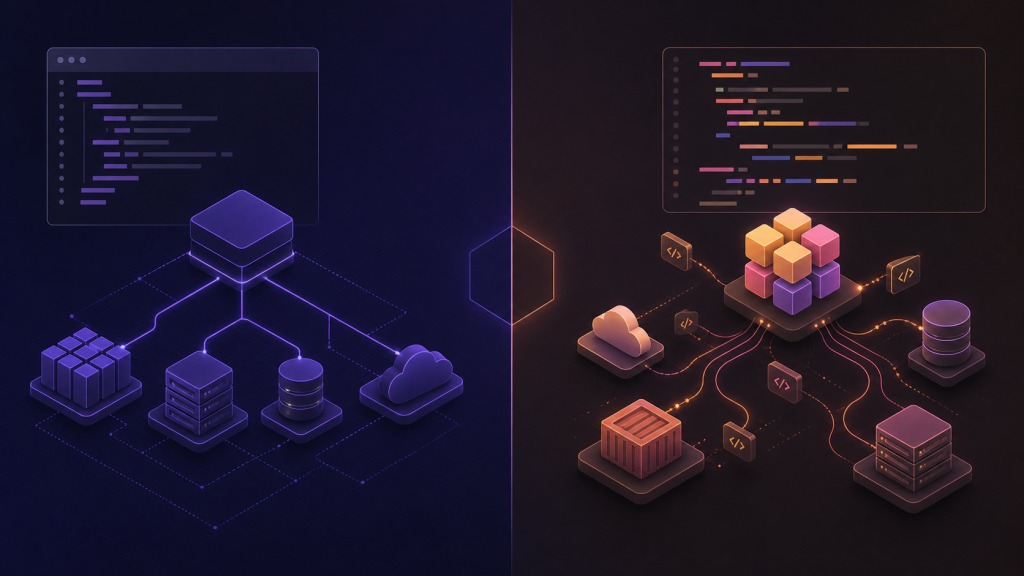
TL;DR
Terraform wins if you need maximum provider coverage and don’t mind learning HCL. Pulumi wins if you’re a developer who wants to use real programming languages and built-in testing. The 2023 license controversy pushed some teams toward Pulumi, but Terraform’s ecosystem is still bigger. My pick: Pulumi for new projects with engineering teams, Terraform for operations teams or when you need obscure providers.
What We’re Comparing
Terraform has been the infrastructure-as-code king since 2014. You write declarative config in HCL (HashiCorp Configuration Language), run terraform apply, and it provisions your cloud resources. Simple concept, massive adoption.
Pulumi launched in 2017 with a different approach: write infrastructure code in actual programming languages. Python, TypeScript, Go, C#, Java—pick your poison. Same goal (provision infrastructure), different path.
Both tools manage state, both support multiple cloud providers, both have commercial backing. The devil’s in the details.
The License Drama You Should Know About
In August 2023, HashiCorp dropped a bomb: Terraform switched from Mozilla Public License (MPL) to Business Source License (BSL). Translation: still open source for most uses, but if you’re building a competing product, you need to pay HashiCorp.
The community freaked out. OpenTofu forked Terraform under the Linux Foundation within weeks. IBM, Spacelift, and other vendors backed it. We now have two Terraforms: the official HashiCorp one (BSL) and the community fork (MPL).
Pulumi stayed Apache 2.0 the whole time. This matters if you care about open source principles or worry about vendor lock-in. For most users? Honestly, the license change doesn’t affect day-to-day work. But the trust damage was real.
HCL vs Real Code: The Core Difference
Here’s where opinions get spicy.
Terraform uses HCL—a domain-specific language that looks like JSON had a baby with YAML. It’s declarative, readable, and designed specifically for infrastructure. Example:
resource "aws_instance" "web" {

  ami           = "ami-0c55b159cbfafe1f0"
  instance_type = "t2.micro"


  tags = {
    Name = "WebServer"
  }
}
Clean, right? But here’s the problem: HCL isn’t a full programming language. Want to loop over a list? Use for_each or count with awkward syntax. Need conditional logic? Ternary operators everywhere. Dynamic configuration? Pray and use locals blocks.
Pulumi lets you write infrastructure in languages you already know:
import * as aws from "@pulumi/aws";


const server = new aws.ec2.Instance("web", {
  ami: "ami-0c55b159cbfafe1f0",
  instanceType: "t2.micro",
  tags: { Name: "WebServer" },
});
This unlocks real programming: loops, functions, classes, imports, package managers. You can write unit tests. Your IDE understands the code. You can refactor with confidence.
The Terraform camp says HCL’s simplicity is a feature. The Pulumi camp says real languages are more powerful. Both are right. Pick your trade-off.
Feature Comparison
| Feature | Terraform | Pulumi |
|---|---|---|
| Language | HCL | Go/TS/Python/C#/.NET/Java |
| State Management | TF Cloud / S3 / Consul / local | Pulumi Cloud / self-hosted / local |
| Provider Count | 3000+ | 2000+ |
| Free Tier | 500 resources | 2000 resources/month |
| Testing | Terratest (external) | Built-in unit tests |
| IDE Support | Basic syntax highlighting | Full language server support |
| License | BSL (Business Source) | Apache 2.0 |
| Secrets Management | External (Vault, etc.) | Built-in encrypted |
| Community Size | Massive | Growing fast |
| Enterprise Support | HashiCorp | Pulumi Corp |
Provider Ecosystem: Terraform Still Wins
Terraform has 3000+ providers. AWS, Azure, GCP—obviously. But also Cloudflare, Datadog, PagerDuty, GitHub, Stripe, and hundreds of niche services. If it has an API, someone probably wrote a Terraform provider.
The maturity shows. The AWS provider alone covers 1000+ resource types. Every obscure service option, every edge case, every regional variation—documented and battle-tested. Community contributions mean bug fixes come fast.
Pulumi has 2000+ providers. All the major clouds, most popular services. But the tail is shorter. Need to provision something obscure? You might find it in Terraform’s registry but not Pulumi’s.
Example: provisioning a specific AWS Config rule with custom parameters, or managing Okta groups with nested policies. Terraform probably has it. Pulumi might require custom code or waiting for the provider team to add support.
Pulumi’s secret weapon: their providers are often auto-generated from cloud APIs (AWS Native, Azure Native) so they get new features faster. Terraform’s AWS provider sometimes lags months behind new service launches. When AWS announces a new service at re:Invent, Pulumi’s native provider might support it same-day. Terraform’s community provider needs someone to write and test the code first.
The trade-off: Terraform’s manually-written providers have better docs and error messages. Pulumi’s auto-generated providers can feel raw—less hand-holding, more “figure it out from the API docs.”
Bottom line: Terraform has more breadth and maturity. Pulumi has better freshness for major clouds. For startups using mainstream services, either works. For enterprises with legacy systems or niche tools, Terraform’s ecosystem depth matters.
State Management: Pick Your Poison
Both tools need to track what they’ve deployed. That’s the “state file.” Lose it, and your infrastructure becomes unmanaged. Corrupt it, and you’re in for a bad day.
Terraform options:
- Terraform Cloud (free tier: 500 resources, $20/user/month after)
- Self-hosted backend (S3 + DynamoDB, GCS, Azure Storage, Consul)
- Local files (don’t do this on teams)
Terraform Cloud is slick. Web UI shows your resources, tracks runs, stores state securely. But that 500-resource limit is tight. One moderately complex app (EKS cluster + RDS + networking + monitoring) can hit 300+ resources. Add dev/staging/prod environments and you’re over.
The S3 backend is the sweet spot for many teams. Store state in S3, use DynamoDB for locking, enable versioning for rollback. Total AWS cost: under $5/month. Setup takes 10 minutes. Rock solid.
Pulumi options:
- Pulumi Cloud (free tier: 2000 resources/month, unlimited for open source)
- Self-hosted backend (S3, Azure, GCS, local filesystem)
- Pulumi ESC for secrets and config (separate product)
Pulumi Cloud’s 2000-resource free tier is generous. Most small-to-medium projects never hit it. The UI is cleaner than Terraform Cloud—better resource visualization, easier to understand what changed.
Pulumi’s self-hosted backend is simpler than Terraform’s. Point it at S3, done. No DynamoDB table needed. State files are structured JSON, easier to inspect if things go wrong.
The catch: Pulumi’s paid tier jumps to $75/user. That’s steep for small teams. Terraform Cloud’s $20/user is more palatable. But if you’re staying on free tier or self-hosting, Pulumi wins on simplicity and limits.
Both support team collaboration, state locking, and encrypted secrets. Pulumi bakes encryption in by default—secrets are encrypted in state automatically. Terraform requires you to configure it (easy with S3 + KMS, but not automatic).
One gotcha: state file surgery. Sometimes you need to manually edit state (importing resources, fixing drift, recovering from mistakes). Terraform has terraform state commands. Pulumi has similar commands but less documentation. Terraform’s maturity shows here.
Developer Experience: Where Pulumi Shines
Learning curve: Terraform is easier to start. HCL is simpler than a full programming language. You can be productive in a day. Read the docs, copy some examples, run terraform plan. You’ll have a working VPC by lunch.
Pulumi requires knowing TypeScript/Python/Go first. If you’re already a developer, Pulumi feels natural—it’s just code. If you’re an ops person learning IaC, Terraform is gentler. You don’t need to understand async/await or dependency injection to provision an S3 bucket.
That said, Pulumi’s learning curve flattens fast. Once you get the basics, the programming language knowledge accelerates you. Need to generate 50 similar resources? Write a loop. Need conditional logic? Use if/else like normal.
IDE support: Pulumi crushes this. VS Code (or any IDE) gives you autocomplete, inline docs, type checking, refactoring tools. Type aws.ec2. and see every available resource. Hover over a parameter to read its description. Catch typos before running anything.
Terraform has syntax highlighting and basic validation. The language server exists but it’s limited. You’ll still reference docs constantly. Autocomplete doesn’t know resource schemas. Refactoring means grep and prayer.
Testing: Pulumi lets you write unit tests like regular software. Mock out providers, test logic, run tests in CI. Example:
import * as pulumi from "@pulumi/pulumi";

import { expect } from "chai";


pulumi.runtime.setMocks({
  newResource: (type, name, inputs) => ({ id: "mock-id", state: inputs }),
});


it("creates an S3 bucket with encryption", async () => {
  const bucket = new aws.s3.Bucket("test", {
    serverSideEncryptionConfiguration: {
      rule: { applyServerSideEncryptionByDefault: { sseAlgorithm: "AES256" } },
    },
  });
  const urn = await bucket.urn;
  expect(urn).to.contain("aws:s3/bucket:Bucket");
});
You test infrastructure logic without deploying anything. Fast, cheap, safe.
Terraform has Terratest (a Go framework) but it’s external and slow. You write Go tests that shell out to terraform apply, deploy real resources, check them, then tear down. Integration tests, not unit tests. Each test run takes minutes and costs money.
For complex logic (dynamic resource generation, policy enforcement), Pulumi’s testing is a game-changer. For simple static configs, Terraform’s lack of testing matters less.
Debugging: Terraform’s error messages can be cryptic. “Error: error creating instance: InvalidParameterValue.” Which parameter? Who knows. You’ll learn to enable TF_LOG=DEBUG and parse AWS API errors.
Pulumi errors are stack traces from your language’s runtime. Better or worse depending on your comfort with programming. Developers prefer it. Ops folks might find it overwhelming.
Modules/libraries: Terraform has modules (reusable HCL code). Share common patterns, publish to registry, version them. Modules work but feel clunky—passing variables through multiple layers gets messy.
Pulumi has packages (npm, PyPI, NuGet, etc.). Publish infrastructure libraries like regular code. Version them with semantic versioning. Import with package managers. Pulumi’s package ecosystem feels more mature because it piggybacks on existing language ecosystems. Want logging? Import a package. Want retry logic? Import a package.
Collaboration: Both tools support team workflows. Terraform has workspaces and remote state. Pulumi has stacks and projects. Both integrate with CI/CD (GitHub Actions, GitLab CI, Jenkins). Both have drift detection. Both support policy as code (Sentinel for Terraform, Policy Packs for Pulumi).
The difference: Pulumi’s policy packs are written in real languages (TypeScript, Python) so you can test them like code. Sentinel is another DSL to learn.
Pricing: Watch the Gotchas
Terraform Cloud:
- Free: 500 resources, 1 concurrent run
- Team: $20/user/month (unlimited resources, 3 concurrent runs)
- Business: Custom pricing (SSO, audit logs, policy as code)
Pulumi Cloud:
- Individual: Free (2000 resources/month, unlimited for open source projects)
- Team: $75/user/month (unlimited resources, 10 concurrent deployments)
- Enterprise: Custom pricing (SAML, self-hosted option, policy packs)
Pulumi is pricier per seat but the free tier is way better. For small teams or open source projects, Pulumi Cloud is effectively free. For big teams, Terraform is cheaper per user but you’ll likely hit the resource limit on free tier.
Both offer self-hosting to avoid these costs entirely. Terraform’s S3 backend costs pennies. Pulumi’s self-hosted backend requires running their software (open source, but you maintain it).
Migration: Terraform to Pulumi
Can you switch from Terraform to Pulumi? Yes. Is it painless? No.
Pulumi has pulumi import to pull existing resources into its state. Point it at your AWS resources, it generates code and imports state. Works well for simple resources (S3 buckets, IAM roles). Gets messy for complex ones (EKS clusters with 50+ sub-resources).
They also have a tf2pulumi tool that converts Terraform HCL to Pulumi code. Feed it your .tf files, get TypeScript/Python/Go out. It’s not perfect—expect to rewrite 20-30% manually—but it’s a start.
Example conversion quality:
- Variable declarations: 90% accurate
- Simple resources: 80% accurate
- Complex expressions: 60% accurate (manual cleanup needed)
- Modules: 40% accurate (often better to rewrite)
The bigger question: should you migrate? If your Terraform setup works, probably not worth the disruption. Migration is a project, not a weekend task. Budget 2-4 weeks for a medium-sized codebase (500-1000 resources). Factor in testing, documentation updates, team training.
If you’re starting fresh or doing a major refactor anyway, consider Pulumi. If your team hates HCL and loves Python, maybe migrate gradually (new stuff in Pulumi, old stuff stays in Terraform).
You can run both tools side-by-side. They won’t fight over resources if you keep state separate. Not elegant, but practical. Many teams do this during transitions—brownfield stays Terraform, greenfield goes Pulumi.
One warning: migrating back from Pulumi to Terraform is harder. No pulumi2tf tool exists. You’d export state, write HCL manually, import resources. If you’re risk-averse, that asymmetry matters.
When to Choose Terraform
Pick Terraform if:
- You need obscure providers. Terraform’s registry has everything. Pulumi might not support your legacy SaaS tool or that weird on-prem system.
- Your team is ops-focused, not dev-focused. HCL is easier for sysadmins who don’t code daily. Someone who’s comfortable with Ansible or YAML can pick up HCL fast.
- You want maximum community resources. More blog posts, Stack Overflow answers, third-party modules. Google any Terraform problem and you’ll find 10 solutions. Pulumi’s community is growing but smaller.
- You’re already deep in Terraform. Migration pain isn’t worth it for working systems. If you have 50,000 lines of HCL that works, keep it.
- You want the cheapest enterprise option. Terraform Cloud Team ($20/user) beats Pulumi Team ($75/user). For a 20-person team, that’s $13,200/year vs $18,000/year savings.
- You need HashiCorp’s enterprise ecosystem. Vault, Consul, Nomad integration. If you’re all-in on HashiCorp tools, Terraform fits naturally.
- Compliance requires proven tools. Some regulated industries want battle-tested tech. Terraform’s been in production longer, has more case studies, more audit trails.
When to Choose Pulumi
Pick Pulumi if:
- You’re developers who hate DSLs. Real languages feel natural. HCL feels like a toy. If your team writes TypeScript services all day, why learn a new syntax for infrastructure?
- You want testing built-in. Unit tests, mocking, CI integration without external tools. Test infrastructure logic the same way you test application code.
- You’re starting fresh. No migration pain, just pick the better tool. Greenfield projects are Pulumi’s sweet spot.
- You care about open source licensing. Apache 2.0 > BSL for peace of mind. No future rug-pulls, no legal gray areas.
- You need rapid iteration on major clouds. Pulumi’s auto-generated providers get new features faster. AWS launches a new ML service? Use it same week.
- You want better free tier. 2000 resources/month vs 500 is a big difference. Startups can run for months without paying.
- You’re building complex logic. Generating infrastructure from data, dynamic resource creation, shared libraries. Real programming languages shine here.
- You want modern DevEx. IntelliSense, type safety, refactoring tools. Write infrastructure like it’s 2026, not 2014.
- You’re already using TypeScript/Python/Go. One language for app and infrastructure. Onboard new devs faster.
The Verdict: My Honest Take
For new projects with engineering teams, I’d pick Pulumi. Writing infrastructure in TypeScript or Python is faster, more powerful, and less frustrating than wrestling with HCL’s limitations. The testing story alone saves time. The generous free tier is a bonus.
The moment you need to generate infrastructure dynamically—say, spinning up identical environments for 10 customers, or creating resources based on JSON config—Pulumi pulls ahead. Real programming languages make this trivial. In Terraform, you’re fighting the tool.
For existing Terraform codebases, don’t migrate unless you have a real reason. If it works, it works. Use the time you’d spend migrating to improve your architecture instead. Migration for migration’s sake burns weeks and delivers zero user value.
For teams without strong programming skills, Terraform is still the safer bet. HCL’s simplicity is real. You can hire ops people and train them on Terraform faster than you can teach programming fundamentals. If your team is sysadmins who know bash and YAML, HCL fits their mental model.
The license controversy matters philosophically but not practically for most users. OpenTofu exists if you really need MPL. But Pulumi being Apache 2.0 from day one is cleaner. No trust issues, no second-guessing HashiCorp’s future moves.
Here’s the thing: both tools are excellent. You can build world-class infrastructure with either. Terraform has more history, more providers, more community content. Pulumi has better developer experience, better testing, better language integration.
The wrong choice is staying on manual clickops or CloudFormation. The right choice between Terraform and Pulumi depends on your team’s skills and values.
My current projects use Pulumi. I sleep fine. Your mileage may vary.
Real-World Considerations Nobody Talks About
Hiring: More people know Terraform. Job postings list “Terraform experience” way more than Pulumi. If you pick Pulumi, you might train people. If that’s fine, great. If you need plug-and-play hires, Terraform wins.
Lock-in: Both create lock-in, just different kinds. Terraform locks you into HCL. Pulumi locks you into their state format and SDK. Switching away from either is painful. The “multi-cloud” promise is oversold—you’re not moving from AWS to Azure with a config tweak in either tool.
Performance: Terraform can be slow on large state files (1000+ resources). Pulumi is generally faster but uses more memory. Both have concurrency limits. Both can parallelize resource creation. In practice, apply times are similar.
Enterprise support: HashiCorp has been around longer, has more enterprise customers, more SOC 2 reports, more compliance checkboxes. Pulumi is growing fast but smaller. If your procurement team needs vendor stability proof, Terraform has it.
Ecosystem beyond IaC: Terraform fits HashiCorp’s stack (Vault, Consul, Nomad, Boundary). Pulumi is standalone. If you’re betting on HashiCorp’s vision, Terraform makes sense. If you want best-of-breed tools, Pulumi doesn’t force dependencies.
Resources to Go Deeper
- Terraform official docs: terraform.io
- Pulumi official docs: pulumi.com
- OpenTofu (Terraform fork): opentofu.org
- Terratest (Terraform testing): terratest.gruntwork.io
- Pulumi examples: github.com/pulumi/examples
Pick one and ship infrastructure. Debating for months is worse than choosing either.
Quick Start: Which One Should You Try First?
Still on the fence? Here’s a practical test.
Try Terraform if: You want to provision a VPC and RDS database in 30 minutes with minimal setup. The Terraform AWS provider docs are excellent. Copy-paste examples work. You’ll have infrastructure running by lunch.
Try Pulumi if: You want to provision infrastructure that changes based on logic—different configs per environment, generating resources from a list, conditional resource creation. Write 20 lines of TypeScript instead of 100 lines of HCL with count hacks.
Both have great getting-started guides. Both have free tiers. Spin up a test project in each. See which one clicks with your brain. That’s your answer.
Related Reading
- Terraform Alternatives in 2026: OpenTofu, Pulumi, Spacelift, env0, and Crossplane Compared
- Terraform vs Pulumi vs OpenTofu in 2026: Which IaC Tool Actually Fits Your Team?
Stay updated with our latest AI insights