Your phone buzzes at 3 AM. Not an alarm. A customer in the group chat: “Site’s down. Can’t place orders.” You drag yourself out of bed, flip open the laptop, and start digging through logs, Nginx access logs, grep-ing for anything suspicious. Nothing. The bug happened on the frontend. A null reference in some edge case crashed the entire React app, and your console.error sat quietly in that user’s browser where no one would ever see it.
If you’ve run production systems, you’ve probably lived some version of this. Maybe you added a try-catch afterward, threw in some logging, but you knew it was a band-aid. Next time it breaks somewhere else, same story. Users know first, you know second.
That pain is why error monitoring tools like Sentry became standard equipment for modern dev teams. Install an SDK, ship exceptions to a dashboard, set up alerts, and at least next time you’ll get notified before the complaints roll in. Once you’ve tasted that certainty, that feeling of “I know what’s happening in production right now,” there’s no going back.
But Sentry itself is becoming a different kind of pain.
More Teams Are Leaving Sentry
Sentry is a good product. No argument there. The SDK covers almost every mainstream language and framework, stack trace parsing is top-tier, Issue Grouping automatically clusters duplicate errors, Session Replay lets you watch what users did. As the gold standard for error monitoring, its feature depth is unmatched.
The problem shows up on the invoice.
Sentry’s pricing model charges per event. Every error event, every performance span, every session replay adds to the meter. The Team plan starts at $26/month, which sounds reasonable until you notice it only includes 50,000 error events and 100,000 performance events. One bad deployment, one bug that throws errors in a loop, and you can burn through a month’s quota in hours. Overages are pay-as-you-go, and the bill can spike fast.
According to public procurement data, the median Sentry customer pays around $20,000 annually. For a mid-sized team, spending that much per year on error monitoring becomes harder to justify. The auto-renewal mechanics don’t help either. Users have reported insufficient notice before renewals, and some found their billing cycle changed without clear communication.
In 2025, Sentry added Seer AI debugging, priced per active contributor at $40/month per person. Logs run $0.50/GB. Continuous Profiling, Uptime Monitoring, each new feature brings a new billing dimension. Sentry is evolving from an error tracker into a full-stack observability platform, but that evolution is funded by stacking usage-based charges.
Browse r/devops or r/webdev on Reddit, and you’ll see “Sentry alternatives” threads every few days. The requests are remarkably consistent. People don’t need all the bells and whistles. They just want to know when production breaks, what broke, and they don’t want a surprise bill at month-end.
So teams are seriously considering whether there’s something that does enough, costs less, and behaves more predictably.
The answer is yes. Several tools, each with their own approach.
Five Alternatives, Five Different Angles
Bugsnag: The Mobile Specialist
If your product runs primarily on iOS, Android, React Native, or Flutter, Bugsnag is hard to ignore. The company started in mobile crash reporting, and it shows. Symbolication for native crashes (dSYM, ProGuard mappings) is mature. Release health and stability scores are built into workflows that let mobile teams track crash rates per version with precision.
Bugsnag’s pricing is per-project and per-event. The Lite plan starts around $127/month, Standard runs closer to $600. Compared to Sentry at equivalent event volumes, it’s not cheaper. It might even cost more. But if you’re a mobile team, the SDK depth, crash grouping logic, and version stability tracking are clearly differentiated.
One thing to know: Bugsnag is currently owned by a private equity fund. That’s not inherently bad, but it signals that product direction may lean toward enterprise customers and profit optimization. Small teams might not have much say. If you’re a three-person indie dev shop making a mobile app, Bugsnag’s value proposition is weak. But if you’re a twenty-person mobile team shipping weekly and you need to pinpoint which version introduced a stability regression, Bugsnag’s release health dashboard can save you hours of manual analysis.
Rollbar: The Grouping Perfectionist
Rollbar is another veteran, roughly the same generation as Sentry. Its core selling point is AI-assisted error grouping. Errors with the same root cause get clustered automatically, cutting down alert noise. For teams drowning in ten thousand errors a day and numb to notifications, that capability matters.
Rollbar’s free tier gives you 5,000 events. The Essentials plan starts around $100/month (500K events, unlimited users, 90-day retention), Advanced runs about $449/month. One valuable design choice: it offers three overage behaviors. Stop collecting at the limit, process on-demand, or set a budget ceiling. This means you won’t wake up to a five-figure surprise bill after an event flood like you might with Sentry. At least you can set a stop-loss.
Rollbar doesn’t cap users, which is friendly to dev-heavy teams with manageable event volumes. Picture this: your company has 30 backend engineers. Everyone needs visibility into errors from the services they own. With per-seat pricing, that’s a massive bill. Rollbar doesn’t care how many people look.
Feature breadth doesn’t match Sentry. No Session Replay, tracing is basic. If you only need pure error tracking and grouping, it does the job. If you want a one-stop observability platform, it won’t cover everything. Rollbar fits best in backend microservice architectures where each service produces heavy error volume, and your need is to quickly identify “which problems are new, which old ones are getting worse,” not fancy frontend replays.
Highlight.io: The Full-Stack Upstart
Highlight is the most ambitious name on this list. It bundles Session Replay, error monitoring, logs, distributed tracing, and metrics into one platform. The entire project is open source under Apache 2.0.
The stack is built on OpenTelemetry, rrweb, and ClickHouse. Its most compelling feature is frontend-to-backend correlation. A user hits an error on the frontend, and you can trace it all the way back to the corresponding backend span and logs. From customer complaint to code line in one flow. That kind of full-chain correlation is something pure error monitoring tools can’t match.
A significant change in 2026: Highlight was acquired by LaunchDarkly. That’s good news for sustained investment (bigger resources), but it also suggests product direction may tilt toward LaunchDarkly’s feature flag ecosystem going forward.
Highlight’s cloud hosting offers a free tier and pay-as-you-go pricing. It also supports full self-hosting (Docker Compose for small setups, Kubernetes for scale). If you want an open-source, self-controlled full-stack observability solution and you don’t want to wrestle with assembling Grafana + Loki + Tempo + Jaeger across five or six components, Highlight is the closest thing to “out-of-the-box open-source full-stack monitoring” available.
A typical use case: a user reports “I clicked the payment button and nothing happened.” In Highlight, you pull up that user’s Session Replay, see them click the button, spot the corresponding frontend error, follow the linked trace to a timeout exception in the backend payment service, and finally find in the logs that the timeout came from the third-party payment gateway returning a 502. The entire investigation closes inside one tool. No jumping between three or four dashboards.
GlitchTip: The Lightweight Open-Source Drop-In
GlitchTip has a clear positioning: it’s a lightweight open-source Sentry alternative. Built with Django, MIT licensed, and its biggest selling point is full compatibility with Sentry’s SDK protocol. Your existing Sentry SDK in code doesn’t need changes. Just point the DSN at your own GlitchTip instance, and you’re switched over.
That compatibility drops migration cost to nearly zero. For teams already using Sentry SDK but hating the bills, GlitchTip is the path of least resistance.
GlitchTip’s hosted pricing is very accessible. Free tier gives 1,000 events/month. $15/month gets you 100K events, $50/month gets 500K, $250/month gets 3M. All plans include unlimited projects and team members. If you self-host, it’s completely free. A small VPS plus PostgreSQL is enough to run it.
What’s the tradeoff? Feature coverage is far narrower than Sentry. No Session Replay, no Continuous Profiling, source maps only for JavaScript, performance tracing is basic transaction support only, and alerting rules are simple. If your need is “catch exceptions, see stack traces, get alerts,” it works. If you need deep debugging capabilities, you’ll feel the gaps.
But for many teams, “good enough” is good enough. A small B2B SaaS team running Python/Django on the backend and Vue on the frontend. You just need to know immediately when something breaks and see the full call stack and request context. GlitchTip handles that job, and you’re paying the cost of a coffee per month.
Honeybadger: The All-in-One for Small Teams
Honeybadger gets called “a calmer Sentry,” and that captures it well. Its pricing structure mirrors Sentry almost exactly (Team $26/month, Business $80/month), but it packs more into the same price: error monitoring, Uptime monitoring, Cron Job monitoring, Status Page, and log dashboards, all in one subscription.
For small teams, this means you don’t need to separately subscribe to Sentry + UptimeRobot + Cronitor + Statuspage.io. One Honeybadger account solves all of it. The Team plan includes 50,000 errors/month, 5 Uptime checks, unlimited users, and 90-day retention.
Honeybadger is a bootstrapped company, running over ten years without VC money. That means they’re not going to suddenly jack up prices to hit investor growth targets. Pricing tends to stay stable and predictable. The SDK covers Ruby, JavaScript, Python, PHP, Go, Java, and Elixir.
Limitations: feature depth doesn’t match Sentry. No Session Replay, no deep Tracing, no Profiling. But if your need is “one tool to cover basic production observability,” Honeybadger’s value is high.
I’ve seen a typical scenario: a four-person team running a Ruby on Rails SaaS product. They were previously using Sentry for error monitoring, UptimeRobot for availability checks, Healthchecks.io for Cron Jobs, and Statuspage for their status page. Four services, four bills, four dashboards. After switching to Honeybadger, one $26/month Team plan covered everything. Management complexity dropped by an order of magnitude.
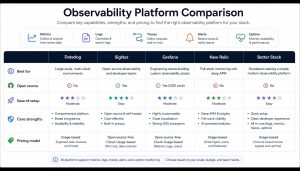
Core Comparison Table
This table helps you compare key dimensions quickly. Note that prices are starting points, actual cost depends on your event volume and feature needs:
| Dimension | Sentry | Bugsnag | Rollbar | Highlight.io | GlitchTip | Honeybadger |
|---|---|---|---|---|---|---|
| Starting Price | $26/mo | ~$127/mo | ~$100/mo | Pay-as-you-go | $15/mo | $26/mo |
| Open Source | FSL (Apache after 2y) | No | No | Apache 2.0 | MIT | No |
| Self-Hostable | Yes | No | No | Yes | Yes | No |
| Session Replay | Yes | Limited | No | Yes | No | No |
| Distributed Tracing | Full | Basic | Basic | Full | Basic | Basic |
| Log Management | Yes | No | No | Yes | No | Yes (Insights) |
| Uptime Monitoring | Yes | No | No | No | Yes | Yes |
| Cron/Job Monitoring | Yes | No | No | No | Yes | Yes |
| Mobile Depth | Good | Excellent | Fair | Fair | Fair | Fair |
| User Limits | Per plan | Per plan | Unlimited | Per plan | Unlimited | Unlimited (Team+) |
| Overage Protection | Limited | Limited | Configurable cap | Pay-as-you-go | Stop/upgrade | 125% buffer |
Pick by Your Scenario
After covering the products themselves, here’s the practical question: which one should your team choose?
Budget is extremely tight, need to spend the least while covering basics? GlitchTip self-hosted is the ultimate cost saver. A $5/month VPS can run it with no event limit. If you don’t want to manage infrastructure, the hosted version at $15/month still beats every competitor.
Small team wanting one tool to handle errors, uptime, and cron monitoring? Honeybadger is the no-brainer choice. $26/month covers all core observability needs. No stitching together multiple services, no juggling different tools for billing reconciliation.
Building a mobile app with frequent releases, need precise per-version crash rate tracking? Bugsnag’s release health workflows and native symbolication are purpose-built for you. Expensive, but justified.
Want full-chain correlation from user sessions to backend traces to logs, and you want open-source self-control? Highlight.io is the only option that delivers both full-stack observability and open-source self-hosting.
High error volume, large team, core pain is alert noise not missing features? Rollbar’s AI grouping and controllable overage behavior may fit you better than Sentry.
Want the best of everything and budget isn’t a constraint? Then Sentry remains the most feature-complete, largest-ecosystem choice. Just remember to plan usage carefully.
Common Pitfalls to Avoid
A few traps you should know about before making a decision:
Looking only at starting prices will mislead you on real cost. Sentry at $26/month and Honeybadger at $26/month look the same, but Sentry’s overage charges can multiply your actual bill several times, while Honeybadger only allows up to 125% overage before stopping. Before choosing a tool, calculate your monthly average event volume, then compare true prices at that scale.
Open source doesn’t mean zero operations. GlitchTip and Highlight self-hosting are free, but you need to maintain servers, handle backups, and process upgrades. If your team lacks DevOps capacity, hosted versions or SaaS solutions may be less painful in the long run.
Sentry SDK compatibility isn’t magic. GlitchTip is compatible with Sentry’s DSN protocol, but data from Sentry’s recent additions (Session Replay, Profiling, Seer AI) isn’t compatible. If you depend heavily on those advanced features, migrating to GlitchTip means giving them up.
Don’t be scared off by “enterprise” pricing. Rollbar and Bugsnag’s pricing looks high, but they don’t cap users (Rollbar) or offer larger event quotas. If your team has 20 developers, a $100/month plan with unlimited users might beat per-seat pricing.
Pay attention to vendor funding backgrounds. Rollbar runs on VC funding, Bugsnag was acquired by PE, Highlight was absorbed by LaunchDarkly. These aren’t necessarily bad things, but they signal product direction may shift. Honeybadger’s decade-plus of bootstrapped operation and GlitchTip’s open-source community model provide stability guarantees through different mechanisms.
Common Questions
Q: How hard is it to migrate from Sentry to these tools?
If the target is GlitchTip, nearly zero cost. Just change the DSN address. Other tools require swapping SDKs, but most mainstream framework integrations are a dozen lines of code, not a major project. The hardest part is migrating historical data. Usually better to run old and new in parallel for a while rather than trying to export old data.
Q: Does Sentry self-hosting count as an alternative?
Technically yes. Sentry self-hosting eliminates billing concerns, but it requires significant hardware resources. The official recommendation is at least 16GB RAM. Since 2023, Sentry uses the FSL license, which prevents using it to build competing commercial products. If it’s for internal use only, no problem. But operational complexity is far higher than GlitchTip.
Q: Is it possible to not use error monitoring tools at all?
If your app is simple enough, user base small enough, and you’re fine learning about bugs from user mouths, sure. But as soon as you have any “I want to know immediately when users hit problems” requirement, the ROI on an error monitoring tool is extremely high. Even the simplest GlitchTip free tier beats having nothing by a mile.
Q: Can these tools integrate with existing alert flows (Slack, Feishu, PagerDuty)?
Almost all of them. Sentry, Rollbar, Bugsnag, and Honeybadger have mature third-party integration ecosystems. Highlight and GlitchTip offer fewer integrations, but webhook support is standard. You can always connect to any notification channel via webhook.
Final Word
There’s no perfect universal answer for error monitoring tools. Sentry is the feature ceiling but also the price ceiling. GlitchTip is the cost floor but also the feature floor. The middle options (Honeybadger, Rollbar, Bugsnag, Highlight) each have their sweet spots.
Before choosing a tool, clarify three questions: What’s your monthly average event volume? What pain can you absolutely not tolerate (surprise bills, insufficient features, or operational complexity)? Does your team have the capacity and willingness to self-operate an open-source solution?
Answer those three questions clearly, and the choice usually becomes obvious.
Most tools offer free trials or free tiers. The most reliable method is to connect your real project and run it for a week. Check alert quality, dashboard experience, and projected billing. Specs on paper never beat hands-on experience.
If you’re currently on Sentry and unhappy with the bill, the lowest-friction first step is this: spin up the same project on GlitchTip’s free tier for a week and compare alert quality and your actual usage patterns on both sides. If GlitchTip’s information density works for you, the migration decision becomes easier. If you find you’re missing something critical, at least you know what those extra features are worth paying for.
Related reading
- GPT-5.5 Reasoning Effort Levels: How Developers Pick the Right Setting
- Tired of DBeaver? Five Database Clients Worth Switching To in 2026
- In 2026 I Moved My Projects Off Vercel: The Alternatives That Actually Work
- Cursor vs Copilot vs Claude Code vs Windsurf: Which AI Coding Tool Is Right for You in 2026?
- Still on Vercel in 2026? These 5 Alternatives Might Fit Your Project Better
Stay updated with our latest AI insights