It was 11:30 at night when the ops engineer at a three-person startup found himself staring at a wall of red error messages. Their core business ran on a single workflow: every time a new user signed up, it automatically synced data to the CRM, kicked off a welcome email sequence, and updated the internal analytics dashboard. That night, for reasons nobody could immediately explain, the whole thing had stopped. New user data was stuck somewhere in the middle, not reaching any system.
The problem itself wasn’t complicated. The debugging process was the nightmare. Their SaaS automation platform produced logs that were vague at best, buried the debugging interface several menus deep, and to top it off, they were approaching the monthly API call limit, so the platform had already started throttling requests. He made a decision sitting there in the dark: however this particular incident got resolved, next month they were switching to something they actually controlled.
That experience is probably the most common on-ramp to open-source, self-hosted workflow tools. It’s rarely about saving money. It’s about control: full logs you can actually read, the ability to step through every node when something breaks, a server you own, and no anxiety about a vendor hiking prices or quietly deprecating the features your business depends on.
When he sat down to research alternatives, the list eventually narrowed to two names: n8n and Activepieces.
n8n: When the Complexity Is the Point
The strongest case for n8n is in scenarios where the workflow itself is legitimately complicated.
Picture an e-commerce team that needs to run the following every night: pull the previous day’s orders from the database, segment customers by tier, trigger personalized follow-up emails for VIP customers, check whether regular customers have left a review, and if they haven’t, evaluate whether the order value crosses a threshold, routing to one sequence if it does and another if it doesn’t, then write the full processing results to a log table and push a summary message to Slack. That’s a workflow with multiple conditional branches, data that needs to be transformed and passed between steps, loops over lists, and side effects in several different systems.
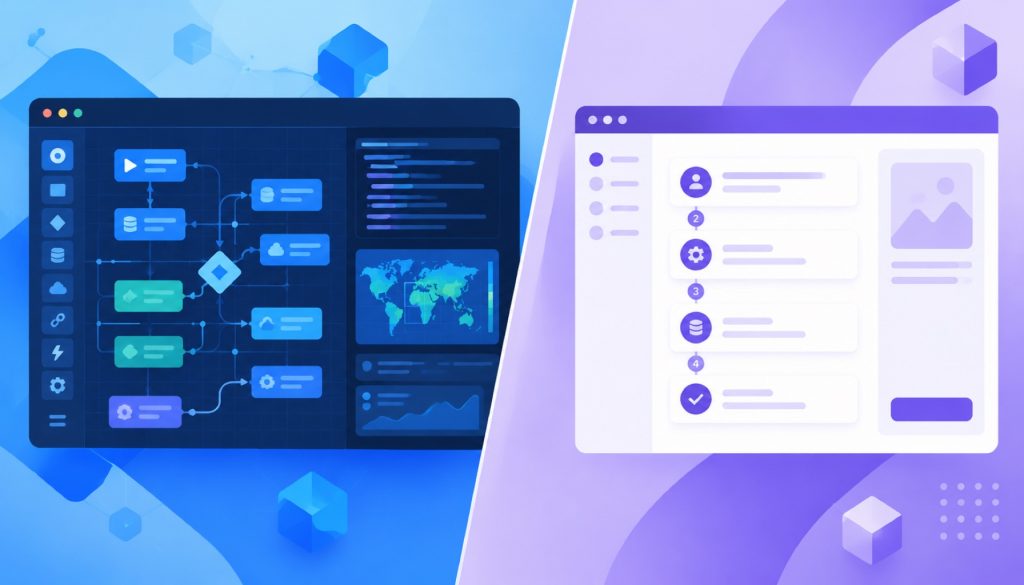
This is n8n’s native territory. The node canvas makes complex branching logic visually explicit (you can literally see every fork in the road), and when something goes wrong, you can click through each node’s input and output to pinpoint exactly where the data went sideways. For teams debugging complicated automations, this kind of transparency is worth having.
n8n integrates with hundreds of services out of the box: Google Workspace, Slack, Notion, various databases, message queues, HTTP APIs. Most popular SaaS tools have either official or community-maintained nodes. But arguably the most powerful feature for technical teams is the Function node, a step in your workflow where you can write raw JavaScript. When a built-in integration doesn’t quite do what you need, or you need to run custom data transformation logic, you don’t wait for the maintainers to ship an update. You write a few lines of code and move on.
That power has a real cost, though. The first time someone opens n8n, the canvas can be disorienting. Just figuring out which node to use, how to configure its parameters, and why data isn’t making it to the next step can eat up a significant chunk of time before you’ve built anything useful. The official documentation is thorough, and the community forum is active, but the learning curve is a real obstacle, not just a disclaimer.
There’s also a licensing detail worth understanding clearly. n8n uses a “fair-code” license, not a standard open-source license. Fair-code is a term n8n coined themselves. In practice it means: you can view the source, modify it, and run it on your own infrastructure for internal use without paying anything. But if you want to offer n8n as a hosted service to other people, essentially commercializing it, you’ll need to purchase a commercial license. For a team using it internally, this usually doesn’t matter at all. But if you’re building a product for clients or thinking about wrapping n8n into something you sell, you’ll want to read those license terms carefully before you commit.
On the infrastructure side, n8n isn’t lightweight. A production instance typically needs at least 2GB of RAM, and that requirement grows with the number of concurrent workflows and execution frequency. For teams with dedicated infrastructure and someone responsible for ops, this is a non-issue. For a solo developer or a tiny team trying to run everything on a small VPS, it’s worth factoring in upfront.
—
Activepieces: A Different Bet on Simplicity
If n8n is designed for people who are comfortable with code, or at least not afraid of it, Activepieces makes a different bet. Its product logic is built around the idea that the person creating the automation might not be an engineer.
The interface reflects this. Instead of an open canvas where you assemble arbitrary graphs, Activepieces guides you through a workflow more like filling out a form sequence. You pick a trigger (“when a new form is submitted”), then add actions in order (“send email → update database → notify Slack”), and each step’s configuration screen presents only what you need to fill in, in plain language. There’s less visual flexibility than n8n, but also much less to figure out before you can do something useful.
The practical result: someone in operations, marketing, or customer support, people who live in the business logic but don’t necessarily write JavaScript, can typically have their first working workflow running within an hour or two of opening the tool for the first time. That speed of onboarding is worth more than it might sound in teams where business moves fast and engineering bandwidth is a constant bottleneck.
Activepieces has also taken a more aggressive stance on AI than most automation platforms. The common approach across the industry right now is to bolt on a “Call GPT” action and call it AI-ready. Activepieces built AI in at a deeper level. It has native support for MCP, Model Context Protocol, which is a standard that lets AI models call external tools and take actions. In Activepieces, you can wire up a workflow so that an AI agent can use it as part of its toolkit, enabling automations that involve real judgment and multi-step reasoning, not just linear trigger-action chains. For teams who are already experimenting with AI agents, or who expect that to become a bigger part of their stack, this matters.
The licensing is also meaningfully different. Activepieces uses the MIT license, one of the most permissive open-source licenses that exists. You can use it, modify it, distribute it, and build commercial products on top of it, with essentially no restrictions beyond preserving the copyright notice. Compared to n8n’s fair-code terms, this gives considerably more freedom to teams who want to embed automation capabilities into their own products or offer it as a white-label feature to their clients.
The one area where Activepieces still trails is integration breadth. Its catalog is growing steadily, but it doesn’t yet match n8n’s hundreds of connectors. For most common business automation use cases, the kinds of workflows that connect email, spreadsheets, CRMs, messaging tools, and web forms, the coverage is sufficient. But if your automation needs touch niche or specialized systems, you might hit a gap. Activepieces does offer an SDK for building custom “pieces” (their term for integration modules), but extending the platform that way requires more legwork than simply dropping a JavaScript function into an n8n node.
—
Side by Side
Before going further, here’s a direct comparison of the dimensions that matter most in practice:
| Dimension | n8n | Activepieces |
|---|---|---|
| Open-source license | Fair-code (free for internal use; commercial redistribution requires a paid license) | MIT (fully open, no commercial restrictions) |
| Integration count | 400+ official and community nodes | Smaller catalog, but growing; covers most mainstream tools |
| Deployment | Self-hosted or official cloud | Self-hosted or official cloud |
| AI capabilities | AI nodes available; extensible via HTTP or plugins | Built-in AI agent support with native MCP integration |
| Learning curve | Moderate to steep (node canvas requires a familiarization period) | Relatively gentle (form-guided steps; non-technical-user-friendly) |
| Custom logic | Built-in JavaScript Function node; highly flexible | Custom piece SDK available; less direct than inline code |
| License flexibility for products | Restricted for commercial redistribution | Unrestricted |
This table is a starting point, not a verdict. The columns that matter most depend entirely on your team’s situation.
—
The Case for n8n
The ops engineer from that opening story eventually built out a proper comparison and landed on n8n. His reasoning was concrete: the workflows his team needed involved multiple layers of data transformation before anything could be written to the CRM, there were real conditional branches depending on customer attributes, and occasionally someone needed to tweak the processing logic based on a business rule that had just changed. Two people on the team could write code, and the idea of having JavaScript available inside the workflow appealed to them a lot.
That’s the profile where n8n shines. Complex multi-branch logic, teams with at least some technical capacity to work through the learning curve, requirements that stretch across many different integrations, and scenarios where having complete debuggability, being able to inspect every node’s exact input and output, is worth the setup cost.
Batch processing tasks are another strong fit: nightly data sync jobs, scheduled cleanup routines, complex webhook handlers that need to fan out to several downstream systems. n8n’s execution model and debugging tools make these kinds of high-stakes automations easier to reason about and maintain over time.
One note for teams coming from Make or Integromat: the mental model transfers fairly well. Both tools think in terms of nodes and connections, and if your team is already comfortable reasoning about workflows as graphs, the n8n canvas won’t feel alien.
The fair-code licensing caveat bears repeating here: if there’s any chance you’ll want to offer this as a service or embed it in a commercial product, understand the license terms before you invest heavily in building on n8n.
—
The Case for Activepieces
In another city, a five-person content marketing team had a very different situation. Their automation needs were straightforward: publish a new article and automatically push it to several social channels, receive a form submission and sync it to Notion and the mailing list, send a weekly summary email with last week’s performance data. Every one of these workflows followed the same basic shape, something happens, then do this, then do that. Linear chains, no complex branching.
The team had no dedicated engineer. The person running operations didn’t want to spend a week learning a visual node canvas. She needed something that could be running by that afternoon.
Activepieces was built for that scenario.
It’s also the right choice when business users need to own their own automations without relying on engineering to build or modify them. As teams grow, the model of “engineers build all the workflows” becomes a chokepoint. If the tool is approachable enough that a marketing coordinator or a customer success manager can set up and adjust their own automations, engineering time stays available for higher-leverage work.
Then there’s the licensing advantage for builders. Developers or independent software vendors who want to incorporate automation capabilities directly into their products, offering customers a “build your own workflow” experience inside their SaaS app, will find MIT license terms dramatically easier to work with than fair-code. There’s no gray area about what’s allowed, no need to consult a lawyer about redistribution scenarios.
And if your roadmap includes AI agents in any serious way, Activepieces’ architecture gives you a foundation that was designed for it, rather than adapted to it.
—
The Hidden Cost Both Tools Share
Teams that choose self-hosted tools typically do so because they want control. That control comes with a cost that doesn’t show up on any feature comparison: you’re responsible for keeping it running.
Both n8n and Activepieces require you to manage your own database, configure a reverse proxy (a server component that routes web traffic to your application), handle version upgrades, maintain backups, and debug strange errors when they appear. When something breaks, there’s no support line to call. You’re reading documentation, searching GitHub issues, and posting in community forums.
This isn’t a reason not to self-host. Many teams specifically want that level of ownership. But it’s worth being honest with yourself about whether someone on the team is actually willing to take that on before committing.
n8n’s community is larger, which means more questions have already been answered somewhere online. The flip side is that n8n’s greater complexity means when things do go wrong, the debugging can be more involved. Activepieces has a smaller community, but the tool’s simplicity means there are fewer things that can go wrong in the first place.
Stability is another real consideration. n8n has years of production use behind it; its behavior under load has been tested across a wide range of team sizes and workflow volumes. Activepieces moves faster, which means new AI features land quickly, but it also means the occasional unexpected breaking change in a new release. If your workflows are mission-critical, build in time to test upgrades in a staging environment before rolling them to production.
—
The Question That Matters Most
There’s one question that gets overlooked in most tool comparisons: who is actually going to use this day to day?
If the answer is one or two engineers who are building and maintaining workflows on behalf of the whole organization, n8n’s complexity can be absorbed by those people. They have the technical background to navigate the learning curve, and they’ll get full value out of the power on the other side.
If the answer is that you want individual teams, marketing, operations, customer success, to be able to build and manage their own workflows without engineering involvement, then the answer points somewhere else. A tool’s capabilities are only valuable if the people using it are actually willing to use it. Friction kills adoption, and a tool that feels overwhelming to non-engineers will get abandoned no matter how powerful it is on paper.
A few questions that should sharpen the decision:
Does your automation involve complicated conditional logic with many branches? If your automation looks like a tree with many branches, n8n’s visual graph model will feel natural. If your flows are mostly linear chains, Activepieces’ guided interface won’t feel limiting.
Is there any chance you’ll want to embed this in a product or offer it as a service? If yes, the MIT versus fair-code difference deserves serious attention before you invest heavily in either direction.
How central is AI agent capability to where your team is headed? If that’s a core direction, Activepieces’ native architecture will save you workarounds. If your automation needs are primarily about data flow and system integration today, n8n’s mature ecosystem is the more reliable foundation.
—
Neither of These Is the Last Tool You’ll Ever Use
Both n8n and Activepieces are moving targets. Activepieces is iterating quickly on AI features; n8n’s community keeps adding integrations and refining the platform. The right answer today isn’t necessarily the right answer in two years.
That’s actually reassuring. The migration cost between workflow tools is lower than it tends to feel when you’re making the decision. The underlying logic of any automation, what triggers it, what it needs to do, what systems it touches, is the same regardless of which tool you’re using. Moving from one platform to another mostly means redrawing the flow diagram, not rearchitecting your business processes.
So: if your team is technical, your workflows are complex, and integration breadth matters, start with n8n. If you want fast onboarding, have non-technical users who need to build their own automations, or have any commercial embedding in your plans, start with Activepieces. Both are mature enough to handle real production workloads. You won’t make a wrong choice, only a “better fit right now” and a “not quite right for this moment” choice.
The ops engineer from the beginning of this story ended up migrating his team’s data sync workflow to n8n. The first week was slow, lots of time spent figuring out node configurations and understanding how data passed between steps. But two weeks in, he had collapsed three separate workflows that had lived in different places into a single, clearly structured graph. He’d added proper error-handling nodes throughout. The late-night alert that had pulled him out of sleep and sent him staring at red error logs never came back.
Not because n8n is objectively better. Because it was the right tool for that team, in that moment, solving that specific problem.
Related reading
- AI Workflow Automation Tools Compared: Gumloop vs Zapier AI vs n8n AI vs Make AI in 2026
- When Documents Pile Up: WeKnora and the Open-Source Platforms Trying to Make Knowledge Actually Useful
- Authentik Alternatives: Self-Hosted Identity Providers Compared (Authelia, Keycloak, Zitadel)
- Kestra vs Airflow vs Prefect vs n8n: An Honest Orchestration Comparison
- Sim Is Not Your Only Option: The Real Differences Between AI Agent Workflow Builders in 2026
Stay updated with our latest AI insights