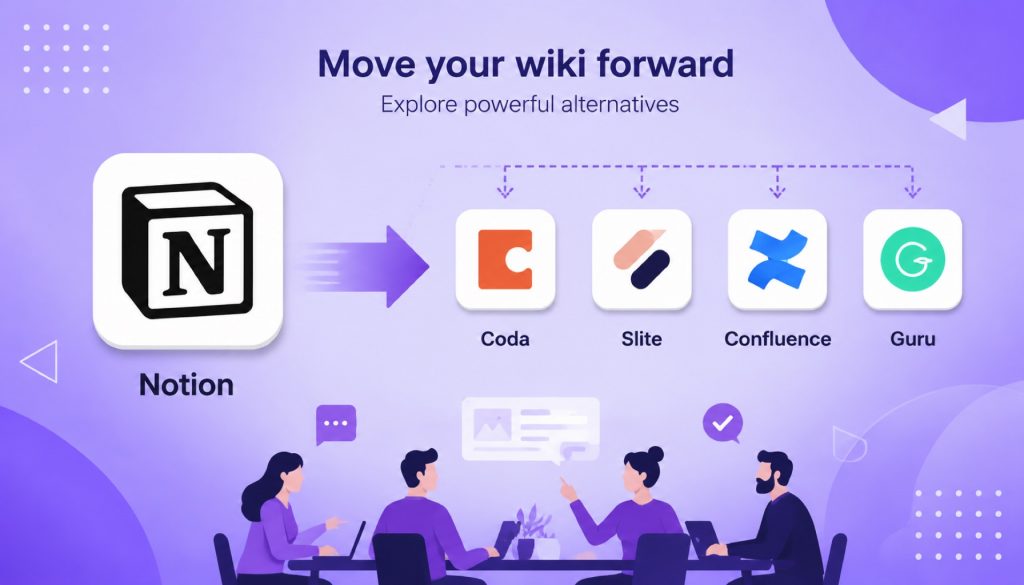
Most teams choose Notion and do fine with it. But if you’ve hit the wall with Notion’s sluggish databases, lack of offline mode, or per-seat pricing that keeps climbing, 2026 brings alternatives worth your time.
Slite delivers the cleanest pure wiki experience with best-in-class AI search. Coda turns documents into programmable logic engines for technical teams. Confluence remains the default pick for anyone already in the Jira ecosystem. Guru’s browser extensions surface knowledge right where you work instead of making you hunt for it.
This comparison focuses on these four tools because they’re the ones teams actually evaluate against Notion. No shallow feature lists covering 20 products. Just clear breakdowns of where each tool excels and where it falls short.
Why This Question Looks Different in 2026
Two shifts changed the team wiki landscape.
First, AI search graduated from marketing gimmick to real capability. Notion AI, Slite Ask, Coda AI, and Guru AI all answer natural language questions from your knowledge base. This means how you organize information matters less than whether information can be found at all.
Second, remote and hybrid work became permanent. Team wikis stopped being nice-to-have documentation systems and became critical infrastructure for distributed teams. Choosing wrong now costs more than it used to.
Quick Comparison Table
| Dimension | Notion | Coda | Slite | Confluence | Guru |
|---|---|---|---|---|---|
| Positioning | All-in-one workspace | Programmable docs | Pure wiki | Enterprise knowledge base | Contextual knowledge mgmt |
| Starting price | $10/user/month | $10/doc maker/month | $8/user/month | $5.75/user/month | $15/user/month |
| AI capability | GPT-4.1 + Claude | Coda AI | AI Ask + editor assist | Atlassian Intelligence | AI search + suggestions |
| Offline support | No | No | Limited | Yes (Data Center) | No |
| Learning curve | Medium | Steep | Low | Medium | Low |
| Best fit | Teams wanting one-stop solution | Data-driven technical teams | Teams wanting clean wiki only | Jira ecosystem users | Teams needing knowledge in workflow |
Notion: Can Do Anything, Requires Configuring Everything
Notion’s strengths are well documented. The block editor offers flexibility, database views provide power, the template ecosystem runs deep, and the API opens integration possibilities. Notion AI in 2026 connects GPT-4.1 and Claude for workspace-wide question answering, and it works well.
The problems surface at scale.
Large workspaces get slow. Once you pass a few hundred pages, sidebar loading, search response, and database filtering show noticeable lag. This isn’t an edge case. It’s the most common complaint in Notion user communities.
No offline mode exists. In 2026, losing internet means losing access. For teams with frequent travel or unreliable connectivity, this becomes a blocker.
Per-seat pricing adds up fast. Plus tier at $10/user/month looks reasonable until you realize full AI access requires Business tier at $20/user/month. A 50-person team pays $12,000 annually. That’s real budget.
Information architecture demands upfront planning. Notion gives you infinite freedom, but freedom without discipline creates chaos. Teams without dedicated workspace maintenance find their documentation becomes a junk pile within three months.
Slite: The Most Underrated Pure Wiki Option
Slite made a smart trade-off. No project management. No databases. Just knowledge base.
This makes onboarding instant. New members don’t need to learn what blocks are or how database views work. Open it, write, search, done.
Slite’s AI Ask delivers the best knowledge base question-answering experience currently available. Ask a question and it extracts answers directly from your docs with source citations, not just link dumps. For high-frequency questions like “where’s that process doc,” the efficiency gain shows immediately.
The $8/user/month pricing feels fair. Cheaper than Notion Plus, and AI features come included without tier upgrades.
Slite’s limitations are clear. No database capabilities. No project management. Smaller integration ecosystem than Notion. If you need more than wiki functionality, Slite won’t cover it.
Coda: The Excel of Documents, Wiki as Side Effect
Coda has bigger ambitions than the others. It wants documents that run formulas, trigger automations, and pull live data.
For technical teams, this appeals. You can build OKR tracking, sprint boards, and knowledge bases in one Coda doc, all connected through formulas and automations.
But as a pure wiki, Coda feels overbuilt.
The learning curve climbs steeply. To use Coda’s real power, you need to understand formulas, automations, and cross-doc references. Regular team members who just want to write documentation don’t want to learn programming concepts.
The pricing model works differently. Coda charges per doc maker, not per user. If few people create docs and most just read, costs stay low. But if everyone needs editing rights, expenses climb fast.
Who fits? Data-driven product teams and engineering teams needing integrated documents, spreadsheets, and automation in one place.
Confluence: The Old Guard Holds Position
Confluence maintains strong enterprise market position. Deep Jira integration provides the biggest selling point. Issue links, sprint documentation, and release notes flow seamlessly through the Atlassian ecosystem.
Confluence in 2026 added Atlassian Intelligence for content summarization, question answering, and writing assistance. The Cloud version editor improved noticeably from years past.
The $5.75/user/month starting price is lowest among these options. For teams already using Jira, Confluence carries essentially zero migration cost.
But Confluence shows its age.
The editing experience still trails Notion and Slite. Improvements happened, but block editor fluidity and flexibility lag behind.
Page hierarchy gets unwieldy. The Space, Page, Child Page structure becomes hard to navigate as content grows.
Outside the Atlassian ecosystem, appeal drops sharply. If you’re not using Jira, most reasons to pick Confluence disappear.
Guru: Bringing Knowledge to Your Work Instead of the Other Way Around
Guru takes a different approach. Instead of making you search the knowledge base, it surfaces knowledge where you already work.
Browser extensions, Slack integration, Chrome sidebar. When you’re handling a customer issue in your CRM, Guru automatically suggests relevant knowledge cards. This works especially well for customer support, sales, and onboarding scenarios.
Guru’s AI search works across multiple data sources like Google Drive, Confluence, and Slack for unified question answering.
But $15/user/month makes it the most expensive option here. Guru optimizes for knowledge distribution rather than knowledge creation. If you need a place for teams to collaboratively write long-form documentation, Guru’s editor won’t cut it.
How to Choose: Follow Your Core Need
If you want everything in one place, go with Notion. Accept its learning curve and performance issues in exchange for maximum flexibility.
If you just want a clean, functional wiki, choose Slite. Fast onboarding, strong AI search, fair pricing.
If your documents need to run logic and automation, pick Coda. But only if your team has technical capacity to handle its complexity.
If you already use Jira, take Confluence. The ecosystem integration value outweighs editor experience gaps.
If you need knowledge pushed into work contexts proactively, get Guru. Best for customer support, sales, and other roles requiring instant knowledge access.
For deeper comparison of Notion’s AI capabilities against other note-taking tools, see Notion AI vs Mem vs Reflect vs Obsidian in 2026.
For broader AI knowledge management landscape, Notion, Guru, Rovo, and Slab compared covers additional players.
On team document collaboration specifically, Notion, Coda, Confluence, and Copilot document tools compared offers useful perspective.
Frequently Asked Questions
What’s Notion’s biggest problem?
Performance and offline access. Large workspaces slow down, and no offline mode exists. If these are dealbreakers for you, look at Slite or Confluence Data Center first.
Can Slite replace Notion?
If you only use Notion as a knowledge base, yes. If you also use Notion for project management, databases, and kanban boards, Slite won’t cover those use cases.
Is Confluence still worth using?
Absolutely, if you’re in the Atlassian ecosystem. If you’re not, 2026 offers too many more modern choices.
What’s recommended for small teams under 10 people?
Slite or Notion Plus. Slite offers simplicity, Notion offers flexibility. On tight budgets, Slite’s $8/user/month pricing helps.
Which tool has the best AI search?
Notion AI provides the most comprehensive feature set for writing, Q&A, and summarization. But Slite Ask delivers better experience specifically for finding answers from your knowledge base.
Stay updated with our latest AI insights