A friend on an engineering team described their documentation situation to me recently: API specs scattered across Notion, code examples buried in Confluence, and frontend developers jumping between three different places just to understand a single endpoint. Half the time, the docs were out of sync with what the API actually did.
His question was simple: is there a tool built specifically for this?
The answer is yes, but it comes with a clarifying question first. Tools like Postman and Insomnia solve for *testing*: sending requests, inspecting responses, debugging behavior. What his team actually needed was different: a way to capture the intent behind an API, document its usage rules, and publish that information somewhere developers can actually trust.
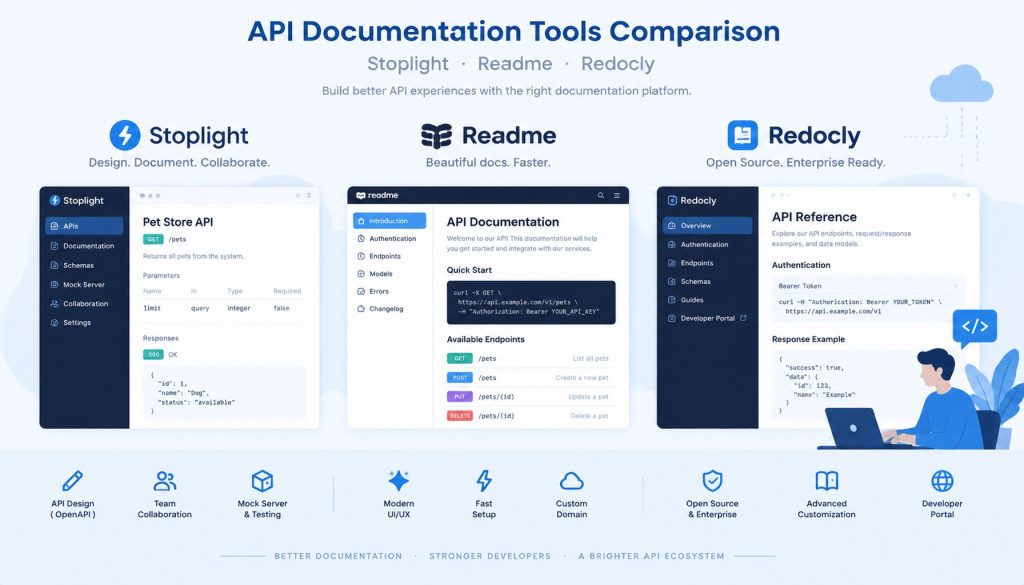
That’s a separate problem, and there are three tools that handle it well: Stoplight, Readme, and Redocly. Each has a distinct focus. Picking the right one depends on who your documentation is for, and how your team works.
Internal docs or external developer portal?
This is the most important question to answer before evaluating any tool.
Internal documentation serves your own engineers: the backend team, frontend developers, mobile engineers. They share a Slack workspace with you. When something is unclear, they can ask. For this audience, accuracy matters most. Docs need to stay close to the code, update when endpoints change, and avoid getting in anyone’s way.
External documentation serves third-party developers who find your API on a product page or GitHub. They have no inside knowledge of your system. If the documentation is confusing or incomplete, they move on. For this audience, credibility and experience matter. They need a clear getting-started path, copy-paste code samples, and ideally a way to try requests right from the page.
Stoplight leans toward internal teams and the design phase. Readme is optimized for the external developer experience. Redocly takes an engineering-first approach suited for teams with CI/CD pipelines. Here’s how each one plays out in practice.
Stoplight: documentation that starts at design time
Stoplight is built around a specific belief: API documentation should begin before a single line of code is written. It includes a visual OpenAPI editor where teams can define request parameters, response schemas, and error codes through a UI, rather than hand-editing YAML files after the fact.
In practice, this changes when documentation happens. Instead of being a cleanup task at the end of a sprint, it becomes part of the design conversation. A product manager and a backend engineer can sit together in Stoplight, sketch out an endpoint, and the result is simultaneously a spec document, a mock server frontend can call, and the foundation for generated documentation.
Teams that get the most from Stoplight tend to be API-first by philosophy. They treat OpenAPI files as a source of truth, store them in version control, and route changes through code review. Stoplight’s Git integration supports this directly.
Where Stoplight falls short is in the final presentation layer. Its generated documentation sites are functional but limited in visual customization. If you need a branded developer portal that feels distinct from your product, you’ll need to put in extra work. Stoplight is better at managing API specifications than at impressing external developers.
Readme: the developer portal done properly
If your goal is a documentation site that third-party developers actually want to use, Readme is the most complete option available.
Its “Try It” feature lets developers fill in parameters and send real requests from within the documentation page. This sounds similar to Postman, but the context is completely different. A developer reading about an endpoint can test it without switching tabs, without setting up an environment, without any friction at all. That difference in effort compounds over a whole onboarding experience.
Readme also ships a Changelog feature that tracks API version changes and notifies subscribed developers when something updates. For platforms trying to build long-term relationships with an external developer community, that kind of communication directly affects trust.
There’s also a built-in analytics layer. Readme shows which pages get the most traffic, which endpoints are being tested through Try It, and where 4xx errors cluster. That data surfaces documentation gaps that would otherwise stay invisible.
The trade-offs are real. Readme’s enterprise pricing is hard to justify for purely internal use. And it’s less centered on OpenAPI as an authoring format than the other two tools, if your workflow is “design the spec first, generate docs after,” Readme’s import flow can feel like an afterthought.
Redocly: API documentation as an engineering artifact
Redocly’s approach is different in character from both Stoplight and Readme. It behaves more like a developer tool than a documentation platform.
The Redocly CLI can lint OpenAPI files against style rules your team defines, requiring that every endpoint has a description, that 400 and 500 responses are always specified, that parameter naming follows a consistent convention. For a large API with dozens or hundreds of endpoints, this kind of enforcement is the only way to maintain consistent quality. A single OpenAPI file can run to thousands of lines. Humans reviewing it manually will miss things.
What makes Redocly particularly effective is CI/CD integration. Pull requests can fail if they introduce spec violations. Documentation quality becomes part of the merge criteria, governed by the same kind of automated checks that catch code style issues. For teams with a mature engineering culture, this feels natural.
The rendered output is professional by default. Redoc, Redocly’s open-source rendering engine, has become one of the most widely used OpenAPI display formats in the industry, adopted by companies including Stripe for their reference documentation. The three-column layout, navigation on the left, explanation in the center, code examples on the right, has essentially become the visual standard for API reference pages.
The steep part of Redocly’s learning curve is its configuration depth. There are many options, the CLI commands take time to learn, and non-technical contributors like technical writers or product managers will find it less accessible than the other tools.
Feature comparison
| Dimension | Stoplight | Readme | Redocly |
|---|---|---|---|
| Core strength | Visual API design + Mock server | Developer portal experience | Engineering-grade validation + CI |
| Primary audience | Internal API teams | External developers | Engineering teams with CI/CD |
| OpenAPI support | Native, visual editor | Import-based | Native, CLI validation |
| Interactive console | Yes | Yes (Try It) | Yes (requires config) |
| CI/CD integration | Basic | Weak | Strong |
| Customization | Moderate | High | High (requires engineering effort) |
| Best team size | Small–medium | Medium–large | Medium–large |
| Pricing | Mid-range | Higher end | Mid-range, open-source tier available |
How to decide
If your main problem is that API design is inconsistent across teams and there’s no shared standard, start with Stoplight. It brings structure to the design process and gives frontend, backend, and QA engineers a common artifact to work from.
If you’re running an external platform and your success metric is third-party developer adoption, Readme is the most complete solution for that specific job. The experience it provides to developers is hard to match.
If you already have OpenAPI files but documentation quality varies and enforcement relies on code review, Redocly’s CLI and CI integration can fix that systematically. Its open-source tier lets you try the approach before committing to a paid plan.
These tools also combine well. Some teams use Stoplight for internal design and collaboration, then export the OpenAPI spec to Redocly for external rendering. Others use Redocly for validation in CI and publish the results through Readme for the developer-facing portal. The combination you choose depends on which part of the process is currently your weakest link.
API documentation tends to get deferred because no one owns it cleanly. Picking a tool that fits how your team already works makes ownership easier to establish, which is usually worth more than picking the tool with the longest feature list.
Related reading
- GitBook Alternatives in 2026: Mintlify, ReadMe, Docusaurus, and Archbee Compared
- GitBook vs Mintlify vs ReadMe vs Docusaurus: Which Dev Docs Platform to Pick in 2026
- Beszel vs Netdata vs Uptime Kuma: Picking the Right Lightweight Server Monitor in 2026
- GPT-5.5 Reasoning Effort Levels: How Developers Pick the Right Setting
- Cursor vs Copilot vs Claude Code vs Windsurf: Which AI Coding Tool Is Right for You in 2026?
Stay updated with our latest AI insights